Introduction
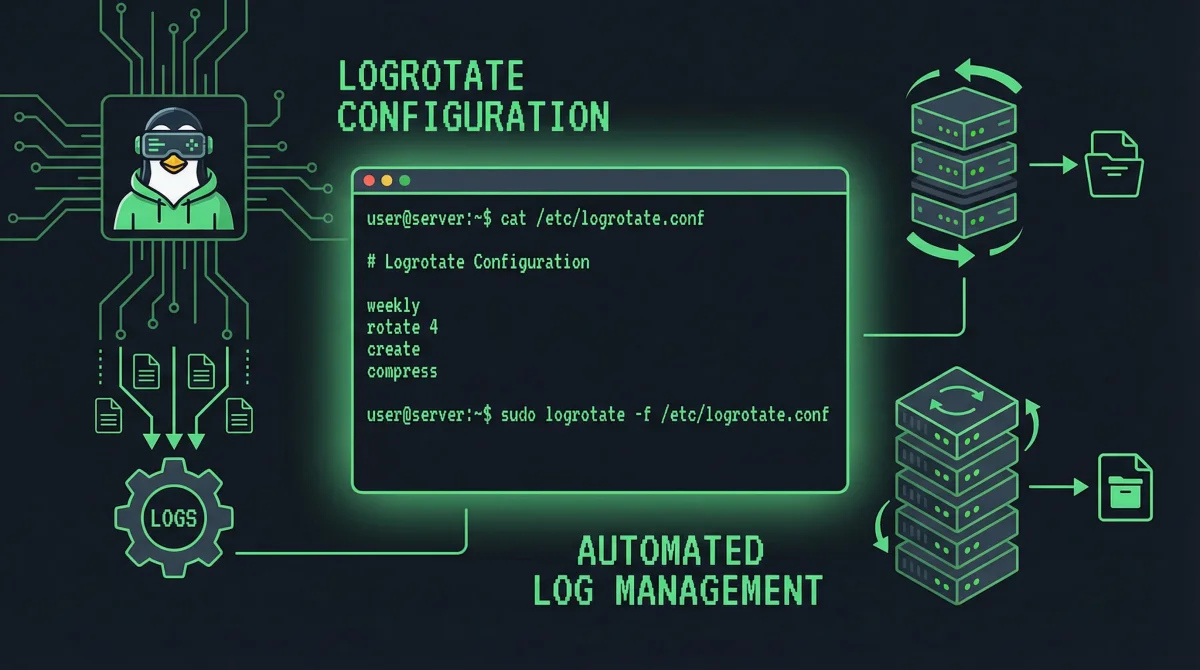
Log files capture essential information about system operations, application behavior, and security events. Without proper management, these files consume increasing disk space until they threaten system stability. Log rotation solves this problem by regularly archiving, compressing, and removing old log files according to configured policies.
The logrotate utility, included with virtually all Linux distributions, automates log management tasks. It handles rotation based on size, time, or both; compresses old logs to save space; creates new log files with proper permissions; and can execute scripts before and after rotation for custom processing. Understanding logrotate configuration enables you to maintain clean log directories while preserving historical data for troubleshooting and compliance.
This comprehensive guide walks you through logrotate configuration for various scenarios. You will learn the configuration syntax, create policies for different log types, implement compression and retention strategies, and troubleshoot common rotation issues. By the end, you will confidently manage log files across your Linux infrastructure.
Understanding Log Rotation
Log rotation serves multiple purposes beyond simple disk space management.
Regular rotation prevents any single log file from growing indefinitely, which would slow file operations and make log analysis impractical. Compression reduces the storage footprint of retained logs significantly—gzip typically achieves 70-90% compression ratios on text-based logs. Time-based retention policies balance storage costs against the need to investigate historical incidents.
Logrotate operates through cron, executing daily by default. During execution, it checks each configured log file against its rotation policy and performs rotations as needed. The utility handles many edge cases: it creates new log files with correct ownership before rotating old ones, maintains symlinks for current logs, and prevents race conditions in applications that actively write logs.
Basic logrotate Configuration
The main configuration file and drop-in directories define rotation policies.
Configuration File Structure
# /etc/logrotate.conf
# Global settings apply to all log files

# Rotate logs weekly (daily, weekly, monthly, yearly)
weekly

# Keep 4 weeks of backlogs (number of rotations to keep)
rotate 4

# Create new empty log files after rotation
create

# Date extensions for rotated files
dateext
dateformat -%Y%m%d

# Location for state file (tracks rotation status)
state /var/lib/logrotate/status

# Log compression (uncomment to enable by default)
compress
compresscmd /usr/bin/xz
uncompresscmd /usr/bin/unxz

# Size-based rotation (overrides time if both specified)
# size 100M

# Error emails
mail logadmin@example.com

# Include additional configuration files
include /etc/logrotate.d
Logrotate.d Directory
Individual configurations in /etc/logrotate.d/ override global settings:
# /etc/logrotate.d/nginx
/var/log/nginx/*.log {
    daily
    rotate 14
    compress
    delaycompress
    notifempty
    create 0640 www-data adm
    sharedscripts
    postrotate
        [ -f /var/run/nginx.pid ] && kill -USR1 $(cat /var/run/nginx.pid)
    endscript
}
Creating Custom Rotation Policies
Configure rotation for application-specific logs.
Application Log Examples
# /etc/logrotate.d/myapp
/var/log/myapp/*.log {
    daily
    rotate 30
    compress
    notifempty
    create 0640 www-data www-data
    dateext
    dateformat -%Y%m%d_
    postrotate
        systemctl reload myapp 2>/dev/null || true
    endscript
}
Multiple Log Patterns
Handle complex log structures with pattern matching:
# /etc/logrotate.d/apache2
/var/log/apache2/*.log /var/log/apache2/*/*.log {
    daily
    rotate 60
    compress
    delaycompress
    notifempty
    create 640 root adm
    sharedscripts
    postrotate
        if [ -f /var/run/apache2/apache2.pid ]; then
            service apache2 reload > /dev/null
        fi
    endscript
    rotate 90
}
Syslog Rotation
# /etc/logrotate.d/rsyslog
/var/log/syslog
/var/log/mail.log
/var/log/kern.log
/var/log/auth.log
{
    daily
    rotate 30
    compress
    delaycompress
    notifempty
    create 640 root syslog
    postrotate
        /usr/lib/rsyslog/rsyslog-rotate
    endscript
}
Rotation Options Reference
Understanding options enables precise policy control.
Timing Options
# Time-based rotation
daily       # Rotate every day
weekly      # Rotate on first day of week
monthly     # Rotate on first day of month
yearly      # Rotate once per year

# Size-based rotation (alternative or additional trigger)
size 100M   # Rotate when file exceeds 100MB
size 1G     # Rotate when file exceeds 1GB
size 100k   # Rotate when file exceeds 100KB
Retention Options
rotate 14   # Keep 14 rotated files (delete older)
maxage 90   # Remove files older than 90 days
Compression Options
compress            # Enable compression (gzip by default)
compresscmd /usr/bin/xz    # Use xz instead of gzip
uncompresscmd /usr/bin/unxz
compressext .xz
delaycompress      # Don't compress immediately (wait for next rotation)
nocompress         # Disable compression for this block
compresscmd bzip2
File Creation Options
create 640 root admin    # Create new log with permissions
createoldcopy 640 root admin  # Create with old file's permissions
nocreate             # Don't create new log file
Filtering Options
notifempty       # Don't rotate empty files
ifempty          # Rotate even if empty files
minsize 1M       # Don't rotate until file reaches size (and time met)
maxsize 100M     # Force rotation if file exceeds size
start count     # Start numbering at count instead of 1
dateext         # Use date instead of numbers in filenames
dateformat -%Y%m%d_%H%M%S  # Date format for filenames
Advanced Configuration
Advanced options handle complex scenarios and integration requirements.
Pre and Post Rotation Scripts
Execute commands before and after rotation:
# /etc/logrotate.d/application
/var/log/myapp/*.log {
    daily
    rotate 7
    compress
    create 640 appuser appuser

    # Commands to run BEFORE rotation
    prerotate
        if [ -f /var/run/myapp.pid ]; then
            /usr/local/bin/myapp-rotate-signals
        fi
    endscript

    # Commands to run AFTER rotation
    postrotate
        systemctl reload myapp 2>/dev/null || true
    endscript
}
Shared Scripts
Execute scripts once per rotation regardless of matching files:
# /etc/logrotate.d/webapp
/var/log/webapp/*.log /var/log/webapp/**/*.log {
    daily
    rotate 30
    compress
    sharedscripts

    # Runs once if ANY files are rotated
    postrotate
        /usr/local/bin/notify-log-rotation
    endscript
}
Firstaction and Lastaction
Execute scripts at very beginning and end:
/var/log/complex/*.log {
    daily
    rotate 5
    firstaction
        echo "Starting rotation at $(date)" >> /var/log/rotation-audit.log
    endscript

    lastaction
        echo "Completed rotation at $(date)" >> /var/log/rotation-audit.log
    endscript
}
Conditional Execution
# Rotate only on specific days (weekends)
/var/log/weekly-report/*.log {
    weekly
    rotate 12
    ifempty
    create 640 root root
    postrotate
        [ -x /usr/local/bin/weekly-report-email ] && /usr/local/bin/weekly-report-email
    endscript
}
Application-Specific Examples
Real-world configurations for common applications.
Docker Logs
# /etc/logrotate.d/docker
/var/lib/docker/containers/*/*.log {
    daily
    rotate 7
    compress
    size 100M
    missingok
    notifempty
    dateext
    dateformat -%Y%m%dT%H%M%S
    postrotate
        /usr/bin/docker kill -s USR1 $(docker ps -q) 2>/dev/null || true
    endscript
}
PostgreSQL Logs
# /etc/logrotate.d/postgresql
/var/log/postgresql/postgresql*.log {
    daily
    rotate 14
    compress
    delaycompress
    create 640 postgres postgres
    postrotate
        [ -f /var/run/postgresql.pid ] && kill -HUP $(cat /var/run/postgresql.pid) 2>/dev/null || true
    endscript
}
MySQL Logs
# /etc/logrotate.d/mysql-server
/var/log/mysql/*.log {
    daily
    rotate 7
    compress
    create 640 mysql mysql
    postrotate
        mysqladmin flush-logs
    endscript
}
SSH Logs
# /etc/logrotate.d/openssh-server
/var/log/auth.log /var/log/secure {
    daily
    rotate 30
    compress
    delaycompress
    create 640 root syslog
    sharedscripts
    postrotate
        systemctl reload rsyslog 2>/dev/null || true
    endscript
}
Troubleshooting Log Rotation
Rotation issues manifest in various ways—missing logs, disk space problems, or errors in rotation scripts.
Manual Rotation Testing
# Test configuration syntax
logrotate -d /etc/logrotate.conf

# Force one rotation cycle
logrotate -f /etc/logrotate.conf

# Verbose output for debugging
logrotate -v /etc/logrotate.conf

# Check specific configuration
logrotate -d /etc/logrotate.d/myapp
Common Issues
# Logs not rotating - check state file
cat /var/lib/logrotate/status | grep myapp

# Files too large - verify size limits
logrotate -d /etc/logrotate.d/myapp

# Permission errors - check file ownership
ls -la /var/log/myapp/

# Script errors - run scripts manually
/usr/local/bin/myapp-rotate-signals
Logrotate Cron
# Check cron configuration
cat /etc/cron.daily/logrotate

# View cron execution logs
cat /var/log/cron.log | grep logrotate

# Manual cron execution
/etc/cron.daily/logrotate
Monitoring and Alerts
Implement monitoring to ensure rotation operates correctly.
Rotation Verification
# Script to verify rotation occurred
#!/bin/bash
# /usr/local/bin/verify-logrotate

RECIPIENT="admin@example.com"
SUBJECT="Log Rotation Alert"

for logfile in /var/log/myapp/*.log; do
    if [ -f "$logfile.1.gz" ]; then
        echo "$logfile was rotated"
    else
        echo "$logfile NOT rotated" | mail -s "$SUBJECT" $RECIPIENT
    fi
done
Disk Space Monitoring
# Check log directory sizes
du -sh /var/log/*/ | sort -h

# Find largest log files
find /var/log -type f -exec du -h {} \; | sort -rh | head -20

# Monitor with cron
*/30 * * * * /usr/local/bin/check-log-space
Conclusion
Log rotation protects your systems from log-related disk exhaustion while preserving historical data for troubleshooting. Configure logrotate policies that balance storage costs against retention needs, add compression for space efficiency, and implement monitoring to verify rotation executes correctly.
For distributed systems, consider centralized logging solutions that aggregate logs from multiple servers while implementing rotation at the collection point. Local rotation policies still matter for applications that write directly to disk, even with centralized logging.
Related Guides: