Introduction
HTTPS has become mandatory for modern web applications. Browser warnings for non-HTTPS sites erode user trust while search engines penalize unencrypted connections. This guide covers complete SSL/TLS certificate management from Let’s Encrypt issuance through automated renewal.
Let’s Encrypt provides free certificates that automate the certificate lifecycle. Combined with certbot and web server integration, certificates issue and renew automatically without manual intervention. Certificate management protects against service disruptions from expired certificates.
Certificate management extends beyond Let’s Encrypt to internal certificates, wildcard certificates, and certificate chains. Enterprise environments require certificate authority hierarchies and certificate transparency logging compliance. This guide addresses both public-facing and internal certificate needs.
Understanding SSL/TLS Certificates
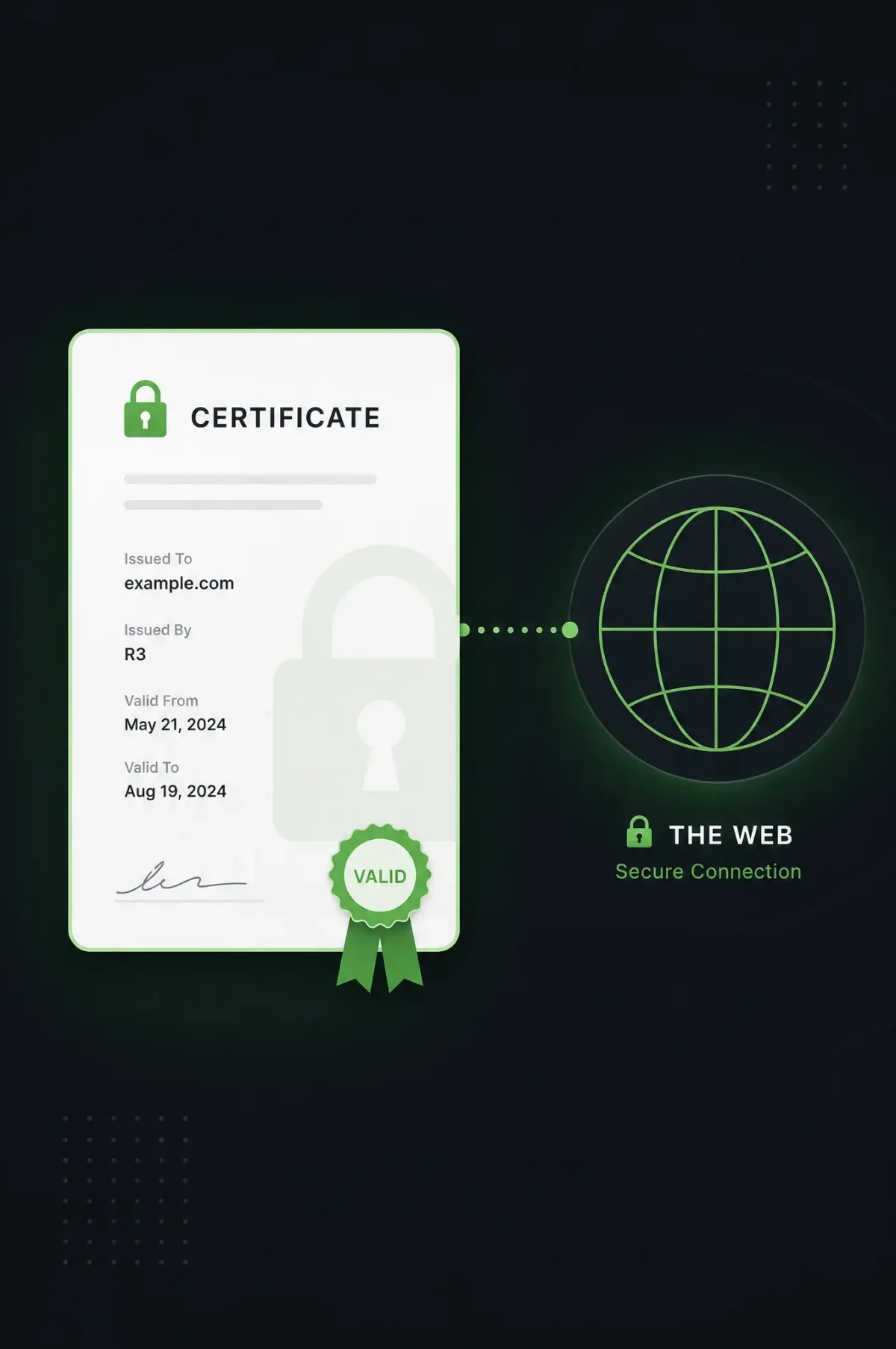
TLS certificates establish encrypted connections while validating server identity. Understanding certificate components guides appropriate configuration.
Certificate Types and Validation Levels
Domain Validation (DV) certificates verify domain control, issued quickly and automatically. Organization Validation (OV) certificates include organization verification, displaying company names in browsers. Extended Validation (EV) certificates require extensive verification, showing green address bars in legacy browsers.
Let’s Encrypt provides DV certificates suitable for most use cases. Internal services may use organizational certificates from private CAs. EV certificates provide maximum trust for financial services and e-commerce.
Wildcard certificates (*.example.com) cover subdomains without individual certificates. Subject Alternative Name (SAN) certificates include multiple domain names in single certificates. Both approaches simplify certificate management for multi-domain deployments.
Certificate Components
TLS certificates contain public key information, domain validation, and cryptographic signatures:
# Examine certificate details
openssl x509 -in certificate.crt -text -noout

# View certificate expiration
openssl x509 -enddate -noout -in certificate.crt

# Check certificate chain
openssl verify -CAfile ca-bundle.crt certificate.crt

# View certificate fingerprint
openssl x509 -fingerprint -sha256 -noout -in certificate.crt
Certificate details reveal issuer, validity period, and included domains. Regular expiration checks prevent unexpected certificate expiry.
Let’s Encrypt Certificate Issuance
Certbot automates Let’s Encrypt certificate issuance for various web servers and hosting configurations.
Installing Certbot
# Ubuntu/Debian
sudo apt update
sudo apt install certbot python3-certbot-nginx
sudo apt install certbot python3-certbot-apache

# RHEL/CentOS
sudo yum install certbot python3-certbot-nginx

# Fedora
sudo dnf install certbot python3-certbot-nginx
Certbot includes plugins for Nginx, Apache, and standalone operation. Plugins automate web server configuration while maintaining existing settings.
Obtaining Certificates
Certbot validates domain control through challenges:
# Nginx plugin (automatic configuration)
sudo certbot --nginx -d example.com -d www.example.com

# Apache plugin
sudo certbot --apache -d example.com -d www.example.com

# Standalone mode (requires port 80)
sudo certbot certonly --standalone -d example.com -d www.example.com

# Webroot mode (existing server)
sudo certbot certonly --webroot -w /var/www/html -d example.com -d www.example.com
Multiple -d flags specify all domains covered by the certificate. DNS challenges required for wildcards use --manual --preferred-challenges dns.
Certificate Storage
Let’s Encrypt stores certificates in standardized locations:
# Certificate files
/etc/letsencrypt/live/example.com/
  ├── cert.pem        # Server certificate
  ├── chain.pem       # Intermediate certificate
  ├── fullchain.pem   # Server + intermediate
  └── privkey.pem     # Private key

# View certificate info
sudo certbot certificates

# List all certificates
sudo certbot certificates
Certificate files symlink to current versions. Renewal creates new files while preserving historical certificates for rollback.
Nginx HTTPS Configuration
Configure Nginx with proper TLS settings for security and performance.
Basic HTTPS Configuration
# /etc/nginx/sites-available/example.com
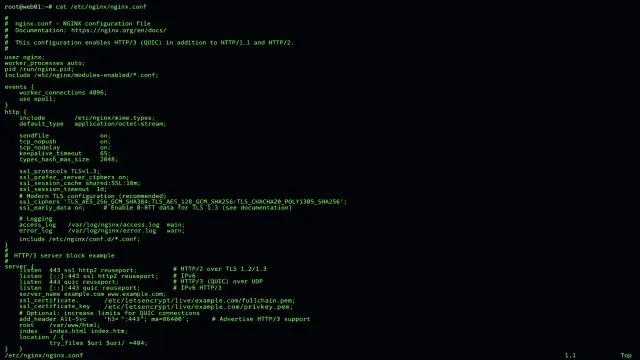
server {
    listen 80;
    server_name example.com www.example.com;

    # Redirect HTTP to HTTPS
    return 301 https://$host$request_uri;
}

server {
    listen 443 ssl;
    server_name example.com www.example.com;

    # Certificate paths
    ssl_certificate /etc/letsencrypt/live/example.com/fullchain.pem;
    ssl_certificate_key /etc/letsencrypt/live/example.com/privkey.pem;

    # SSL configuration
    ssl_protocols TLSv1.2 TLSv1.3;
    ssl_ciphers ECDHE-ECDSA-AES128-GCM-SHA256:ECDHE-RSA-AES128-GCM-SHA256;
    ssl_prefer_server_ciphers off;
    ssl_session_cache shared:SSL:10m;
    ssl_session_timeout 1d;

    # OCSP stapling
    ssl_stapling on;
    ssl_stapling_verify on;
    resolver 8.8.8.8 8.8.4.4 valid=300s;
    ssl_trusted_certificate /etc/letsencrypt/live/example.com/chain.pem;

    # Security headers
    add_header Strict-Transport-Security "max-age=31536000" always;
    add_header X-Frame-Options DENY always;
    add_header X-Content-Type-Options nosniff always;

    root /var/www/html;
    index index.html;

    location / {
        try_files $uri $uri/ =404;
    }
}
Modern TLS configurations prefer TLSv1.3 while maintaining TLSv1.2 for compatibility. OCSP stapling reduces certificate validation latency.
Advanced TLS Configuration
# Strong SSL configuration
ssl_protocols TLSv1.2 TLSv1.3;
ssl_ciphers ECDHE-ECDSA-AES128-GCM-SHA256:ECDHE-RSA-AES128-GCM-SHA256:ECDHE-ECDSA-AES256-GCM-SHA384:ECDHE-RSA-AES256-GCM-SHA384;
ssl_prefer_server_ciphers off;
ssl_ecdh_curve secp384r1;

# HSTS configuration
add_header Strict-Transport-Security "max-age=63072000; includeSubDomains; preload" always;

# Certificate transparency
add_header Content-Security-Policy "default-src 'self'; script-src 'self' 'unsafe-inline'; style-src 'self' 'unsafe-inline';" always;
HSTS headers enforce HTTPS connections. Certificate transparency headers provide audit logging of certificate issuance.
Apache HTTPS Configuration
Apache configuration mirrors Nginx patterns with Apache-specific directives.
Basic Apache HTTPS Setup
# /etc/apache2/sites-available/example.com.conf
<VirtualHost *:80>
    ServerName example.com
    ServerAlias www.example.com

    Redirect permanent / https://example.com/
</VirtualHost>

<VirtualHost *:443>
    ServerName example.com
    ServerAlias www.example.com

    SSLEngine on
    SSLCertificateFile /etc/letsencrypt/live/example.com/cert.pem
    SSLCertificateKeyFile /etc/letsencrypt/live/example.com/privkey.pem
    SSLCertificateChainFile /etc/letsencrypt/live/example.com/chain.pem

    SSLProtocol all -SSLv2 -SSLv3 -TLSv1 -TLSv1.1
    SSLCipherSuite ECDHE-ECDSA-AES128-GCM-SHA256:ECDHE-RSA-AES128-GCM-SHA256
    SSLHonorCipherOrder off

    SSLSessionCache shmcb:${APACHE_RUN_DIR}/ssl_scache(512000)
    SSLSessionCacheTimeout 300

    HSTSHeader always
    Header always set X-Frame-Options DENY
    Header always set X-Content-Type-Options nosniff

    DocumentRoot /var/www/html

    <Directory /var/www/html>
        Options Indexes FollowSymLinks
        AllowOverride All
        Require all granted
    </Directory>
</VirtualHost>
Apache modules enable SSL and headers. Site configuration follows standard Apache patterns with SSL-specific directives.
Automated Certificate Renewal
Let’s Encrypt certificates expire after 90 days. Automated renewal prevents service disruptions.
Certbot Renewal Configuration
# Test automatic renewal
sudo certbot renew --dry-run

# Manual renewal
sudo certbot renew

# Force renewal before expiration
sudo certbot renew --force-renewal
Dry-run tests verify renewal configuration without issuing certificates. Production renewals occur automatically through systemd timers.
Cron Configuration
Cron jobs provide renewal scheduling:
# /etc/cron.d/certbot
# Attempt renewal twice daily
0 */12 * * * root certbot -q renew
Systemd timers provide more reliable scheduling than cron:
# Check timer status
systemctl list-timers | grep certbot

# Manual timer trigger
sudo systemctl run certbot-renew.timer
Hook Scripts
Execute commands before and after renewal:
# Pre-hook: stop web server
certbot renew --pre-hook "systemctl stop nginx"

# Post-hook: restart web server
certbot renew --post-hook "systemctl restart nginx"

# Deploy hook: reload configuration
certbot renew --deploy-hook "systemctl reload nginx"
Hooks ensure web servers reload certificates after renewal. Multiple hooks chain for complex deployment workflows.
Multiple Domain Certificates
Managing certificates for multiple domains requires appropriate strategy.
Subject Alternative Names
Single certificates include multiple domains:
# Certificate with multiple SANs
sudo certbot -d example.com -d www.example.com \
  -d api.example.com -d app.example.com \
  --deploy-hook "systemctl reload nginx"
SAN certificates simplify certificate management for related domains. DNS validation required for wildcards uses separate command syntax.
Wildcard Certificates
Wildcard certificates cover all subdomains:
# Obtain wildcard certificate (requires DNS-01 challenge)
sudo certbot certonly \
  --manual --preferred-challenges dns \
  -d example.com -d '*.example.com'

# Verify DNS challenge manually
# Add TXT record to _acme-challenge.example.com
# Then press continue in certbot

# Renew wildcard (requires DNS API access)
sudo certbot certonly \
  --manual --preferred-challenges dns \
  --dns-route53 \
  -d example.com -d '*.example.com'
DNS-01 challenges prove DNS control for wildcard certificates. DNS provider plugins automate TXT record creation and removal.
Multiple Certificates with Nginx
Configure multiple certificates for different domains:
# Default server with flexible certificate
server {
    listen 443 ssl default_server;
    ssl_certificate /etc/letsencrypt/live/example.com/fullchain.pem;
    ssl_certificate_key /etc/letsencrypt/live/example.com/privkey.pem;
}

# Separate virtual host
server {
    listen 443 ssl;
    server_name api.example.com;

    ssl_certificate /etc/letsencrypt/live/api.example.com/fullchain.pem;
    ssl_certificate_key /etc/letsencrypt/live/api.example.com/privkey.pem;
}
Server blocks isolate certificate configurations per domain. Default server handles unmatched requests with generic certificate.
Certificate Chain Configuration
Proper certificate chains validate certificates through intermediate authorities.
Understanding Certificate Chains
Certificate chains link server certificates through intermediate certificates to trusted root certificates. Browsers trust root certificates directly while intermediate certificates require chain validation.
# View certificate chain
openssl s_client -connect example.com:443 -servername example.com

# Extract chain from connection
openssl s_client -connect example.com:443 -servername example.com \
  -showcerts </dev/null 2>/dev/null | sed -n '/-----BEGIN/,/-----END/p'

# Verify chain completeness
openssl verify -CAfile /etc/ssl/certs/ca-certificates.crt \
  /etc/letsencrypt/live/example.com/fullchain.pem
Incomplete chains cause browser warnings despite valid certificates. Full chain files include both server and intermediate certificates.
Self-Signed Certificates
Internal services may require self-signed certificates:
# Generate self-signed certificate
openssl req -x509 -nodes -days 365 \
  -newkey rsa:2048 \
  -keyout server.key \
  -out server.crt \
  -subj "/CN=internal-service"

# Generate CSR for internal CA signing
openssl req -new -newkey rsa:2048 \
  -keyout server.key \
  -out server.csr \
  -subj "/CN=internal-service"

# Sign with internal CA
openssl x509 -req -days 365 \
  -in server.csr \
  -CA internal-ca.crt \
  -CAkey internal-ca.key \
  -CAcreateserial \
  -out server.crt
Self-signed certificates require internal CA certificates distributed to clients. Certificate pinning ensures clients trust only expected certificates.
Testing SSL/TLS Configuration
Verify TLS configurations for security and compatibility.
SSL Labs Assessment
Test configurations at SSL Labs:
# Generate hash for submission
echo example.com | sha256
External testing reveals configuration weaknesses and compatibility issues. Address failing tests before production deployment.
Local Testing Tools
# Check TLS version support
openssl s_client -tls1_2 -connect example.com:443
openssl s_client -tls1_3 -connect example.com:443

# Test specific cipher suites
openssl s_client -cipher 'ECDHE-RSA-AES256-GCM-SHA384' -connect example.com:443

# Check certificate expiration
echo | openssl s_client -servername example.com -connect example.com:443 2>/dev/null | openssl x509 -noout -dates

# Test OCSP stapling
openssl s_client -connect example.com:443 -servername example.com -status </dev/null 2>/dev/null | grep -A 2 "OCSP Response"
Local testing identifies configuration issues without external dependencies. Regular testing ensures configurations remain secure.
Conclusion
TLS certificate management requires systematic processes for issuance, configuration, and renewal. Let’s Encrypt provides free certificates that automate the certificate lifecycle. Proper web server configuration ensures security while maintaining compatibility.
Certificate monitoring prevents expiration through automated renewal and expiration alerts. Testing configurations validates security before production deployment. Consider enterprise certificate management solutions for complex internal certificate requirements.
Related Posts: