What Is CVE-2026-45447
OpenSSL released security updates on June 9, 2026, patching 18 vulnerabilities across its codebase. The most serious of these, tracked as CVE-2026-45447, is a high-severity heap use-after-free bug in the PKCS#7 signature verification function (SecurityWeek).
An attacker can trigger this vulnerability by sending a specially crafted PKCS#7 or S/MIME signed message to a server that performs signature verification. When OpenSSL processes the malformed message, it dereferences freed heap memory, which can lead to remote code execution on the affected system.
The vulnerability was discovered by a California-based researcher working with Claude AI and Anthropic Research. AI-assisted bug hunting is getting more common. For server administrators, the risk hasn’t changed: patch quickly.
How the Vulnerability Works
PKCS#7 (Public-Key Cryptography Standard #7) is a widely used format for signing and encrypting messages. OpenSSL implements PKCS#7 verification in its crypto library, which underpins TLS connections, email security (S/MIME), code signing, and certificate chain validation.
The specific bug sits in the memory handling during signature verification. When OpenSSL parses a PKCS#7 structure, it allocates heap memory for intermediate cryptographic objects. Under certain crafted inputs, the code frees one of these objects but later attempts to reference it again. This use-after-free condition corrupts the heap state, and an attacker who controls the input data can leverage the corruption to execute arbitrary code on the server.
Use-after-free vulnerabilities are particularly dangerous in cryptographic libraries because:
- The vulnerable code runs every time a server validates a signed message, making the attack surface broad
- Heap manipulation in crypto contexts can sometimes bypass modern mitigations like ASLR
- The triggering input appears as a legitimate PKCS#7 structure, making it hard to filter at the network level
Beyond CVE-2026-45447, this OpenSSL release also patches a medium-severity weakness that allows an attacker to trick a system into accepting a fake, attacker-controlled certificate and private key pair with a 1-in-256 success rate. While this probability seems low, repeated attempts can eventually succeed, effectively bypassing authentication mechanisms that depend on certificate validation.
Which Systems Are Affected
Any system running OpenSSL versions prior to the June 2026 security release is potentially vulnerable. This includes:
- Linux servers running web services that use OpenSSL for TLS (Nginx, Apache, HAProxy)
- Mail servers performing S/MIME signature verification
- Applications using libcrypto directly for PKCS#7 operations
- Container images built on base images with older OpenSSL packages
The vulnerability sits in the library level, so it does not matter which application is calling OpenSSL — if the linked library version is vulnerable, the system is at risk.
Checking Your OpenSSL Version
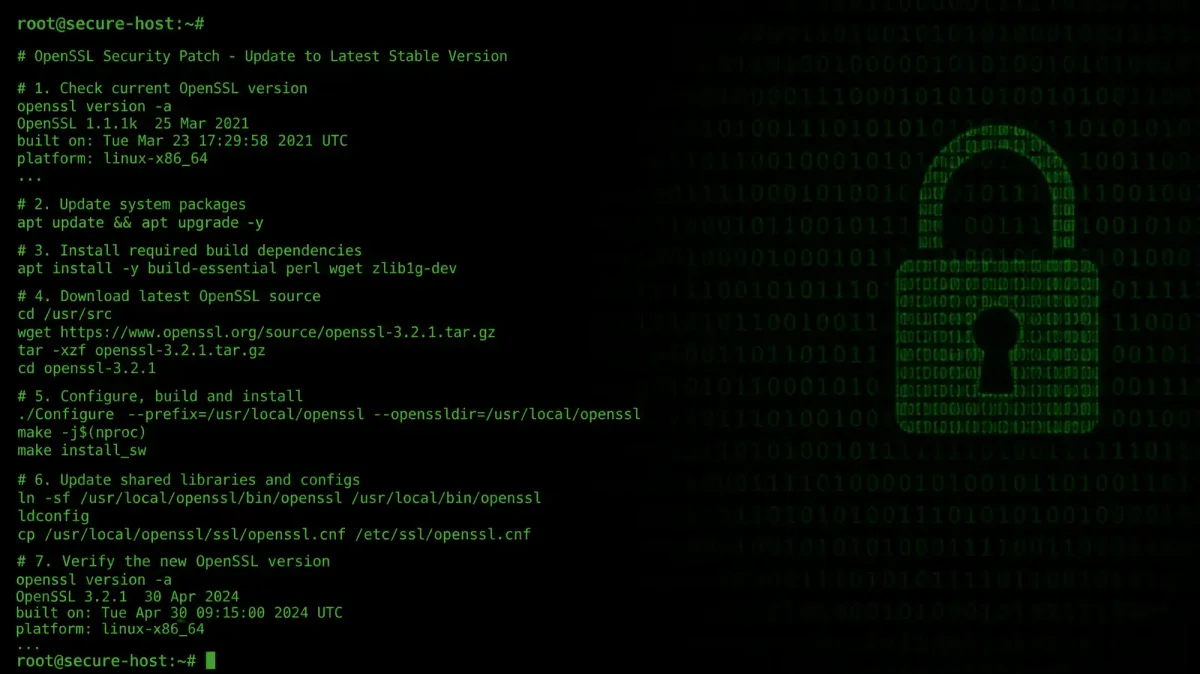
Run this command on each server to check the installed version:
openssl version
# Example output: OpenSSL 3.0.15 25 Mar 2025
If the output shows a build date before June 9, 2026, you need to patch.
You can also check the version that specific services are linked against:
# Check what OpenSSL Nginx is using
ldd $(which nginx) | grep libssl

# Check the full OpenSSL info
openssl version -a
Applying the Patch
Ubuntu and Debian
sudo apt update
sudo apt install --only-upgrade openssl libssl3
After upgrading, verify the new version:
openssl versionThe patched version will show a build date on or after June 9, 2026.
RHEL, CentOS, and AlmaLinux
sudo dnf update opensslFor older systems still using yum:
sudo yum update opensslAlpine Linux (Docker containers)
apk update
apk upgrade openssl
If you are rebuilding container images, update your base image tag to the latest version:
FROM alpine:3.21
# This will pull the latest alpine:3.21 with patched OpenSSL
RUN apk add --no-cache openssl
Verifying the Patch
After patching, confirm the vulnerability is resolved by checking that your OpenSSL version matches the vendor’s patched release:
openssl version
openssl version -a | grep "built on"
The “built on” date should be June 2026 or later.
Restarting Services
Updating the OpenSSL package does not automatically restart running services. You must restart any service that loads libssl or libcrypto:
# Restart common services
sudo systemctl restart nginx
sudo systemctl restart apache2
sudo systemctl restart postfix
sudo systemctl restart dovecot

# Find all processes using the old OpenSSL library
sudo lsof +c 0 -n | grep libssl | awk '{print $2}' | sort -u
The lsof command reveals every process still holding the old library in memory. Restart each one. For systems where you cannot identify every affected service, a full reboot ensures all processes load the patched library.
Hardening Against PKCS#7 Attacks
Beyond applying the patch, consider these defensive measures for servers that process PKCS#7 or S/MIME data:
Limit S/MIME Processing
If your server does not need to verify S/MIME signatures, disable that functionality in your application configuration. Reducing the attack surface eliminates the trigger vector entirely.
Deploy Web Application Firewall Rules
For web-facing services, configure WAF rules to inspect Content-Type headers for application/pkcs7-mime and application/x-pkcs7-signature and apply rate limiting or blocking if these types are unexpected for your service.
Monitor for Exploitation Attempts
Add log monitoring for unusual spikes in TLS handshake failures or S/MIME verification errors:
# Monitor for TLS errors in Nginx
tail -f /var/log/nginx/error.log | grep -i "ssl"

# Check for authentication bypass attempts in your application logs
grep -i "certificate" /var/log/auth.log | tail -20
Unusual patterns in these logs may indicate active exploitation attempts against unpatched systems.
Certificate Validation Hardening
The medium-severity certificate bypass vulnerability in the same release means you should also verify your certificate validation chains:
# Test your server's certificate chain
openssl s_client -connect yourserver.com:443 -verify_return_error

# Verify the certificate chain is complete
openssl verify -CAfile /etc/ssl/certs/ca-certificates.crt /path/to/your/cert.pem
Broader Context
This OpenSSL release arrives during a period of increased vulnerability discovery. SecurityWeek reported that 18 separate vulnerabilities were addressed in a single release cycle, several of which were identified with AI-assisted analysis tools (SecurityWeek).
The pattern matches what we have seen across the security industry this year. CISA recently added multiple vulnerabilities to its Known Exploited Vulnerabilities catalog, including CVE-2026-28318 in SolarWinds Serv-U, which was exploited in the wild within days of being patched (SecurityWeek). Google patched its fifth Chrome zero-day of 2026 in the same week, addressing 74 vulnerabilities in Chrome 149.0.7827.103 (CyberSecurityNews).
Server administrators should take the hint: the gap between vulnerability discovery and active exploitation keeps shrinking. Automated tools find bugs faster, and attackers move quickly to weaponize them. Patch within days, not weeks.
Related Server Security Practices
OpenSSL patching is one layer of server security. For a complete hardening approach, see our guides on Linux Security Hardening, SSH Server Hardening, and SSL/TLS Certificate Management.