Introduction
Kubernetes has emerged as the dominant platform for container orchestration, enabling organizations to deploy, scale, and manage containerized applications at scale. Originally developed by Google and donated to the Cloud Native Computing Foundation, Kubernetes provides a robust framework for automating deployment, scaling, and operations of application containers across clusters of hosts.
This guide covers Kubernetes fundamentals for production-grade deployments that demand high availability, automatic scaling, and self-healing capabilities. You’ll learn essential concepts through practical examples and build the mental models needed for effective Kubernetes administration.
Mastering Kubernetes takes patience and practice. We will explore core components, basic operations, and common configurations that form the foundation for advanced topics like Helm charts, operators, and multi-cluster management. The concepts covered here apply directly to real-world deployment scenarios.
Kubernetes Architecture
Before creating your first resources, learn how Kubernetes organizes components. This knowledge helps you make better architectural decisions and troubleshoot issues effectively.
Cluster Components
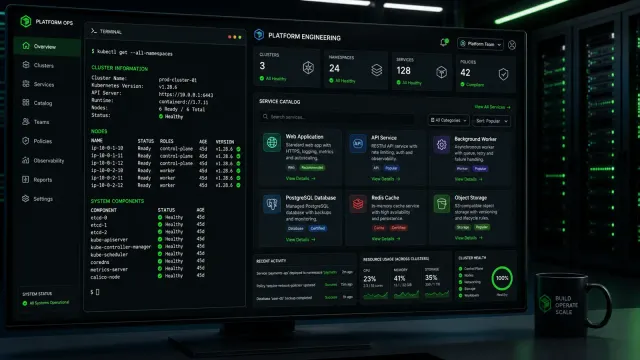
A Kubernetes cluster consists of control plane components that manage the cluster and worker nodes that run your workloads. The control plane makes global decisions about the cluster, while worker nodes provide the compute resources that execute your containers.
The control plane includes several critical components. etcd stores all cluster data, providing a reliable key-value store that maintains the desired state of your applications. The API server validates and configures data for API objects like pods and services. The scheduler watches for newly created pods and assigns them to nodes based on resource availability and constraints. The controller manager runs controller processes that handle routine tasks like replicating pods and handling node failures.
Worker nodes run kubelet, an agent that communicates with the control plane and ensures containers run as specified in pod specifications. Container runtime handles the actual execution of containers, typically Docker or containerd. kube-proxy maintains network rules that enable communication between pods and services across the cluster.
Core Concepts
Pods represent the smallest deployable units in Kubernetes. A pod encapsulates one or more containers that share storage and network resources. Containers within a pod communicate using localhost, as they share the same network namespace. This co-location pattern suits tightly coupled containers that need to communicate efficiently.
Deployments provide declarative updates for pods and replica sets. You specify the desired state, and Kubernetes works to maintain that state automatically. Deployments handle rolling updates, rollbacks, and scaling, abstracting these complex operations away from direct management.
Services provide stable network endpoints for pods. Because pods are ephemeral and their IP addresses change, services create abstractions that enable reliable communication between components. Services discover other services through DNS names, simplifying configuration in distributed systems.
Setting Up Your First Cluster
Getting a Kubernetes cluster running locally helps you experiment without cloud costs. Multiple tools simplify local cluster creation, each with different tradeoffs.
Using kind
Kubernetes in Docker (kind) runs Kubernetes nodes as Docker containers, providing a lightweight option for local development. Install kind following the documentation for your operating system.
# Create a cluster with multiple worker nodes
kind create cluster --name my-cluster --config - <<EOF
kind: Cluster
apiVersion: kind.x-k8s.io/v1alpha4
nodes:
- role: control-plane
- role: worker
- role: worker
EOF

# Verify cluster status
kubectl cluster-info

# View nodes in your cluster
kubectl get nodes
The configuration creates one control plane node and two worker nodes. Each node runs as a container on your local machine. This setup consumes significant resources, so ensure your machine has adequate RAM and CPU.
Using minikube
Minikube provides another popular local cluster option, offering a simple single-node cluster for testing and development.
# Start a cluster with specified resources
minikube start --cpus 4 --memory 8192 --driver=docker

# Enable the ingress addon
minikube addons enable ingress

# Dashboard provides a web interface
minikube dashboard &
Minikube’s simplicity makes it excellent for initial learning. The dashboard offers visual cluster management, useful for understanding resource relationships and troubleshooting issues.
Deploying Your First Application
With a cluster running, deploy a simple application to explore Kubernetes resource management. We will create deployments, services, and explore common operations.
Creating a Deployment
Deployments manage pod replicas, ensuring your application runs the specified number of instances and handles failures automatically. Create a deployment for a simple web application.
# Create a deployment from the command line
kubectl create deployment nginx-web \
  --image=nginx:1.25-alpine \
  --replicas=3 \
  --port=80

# View deployment status
kubectl get deployments

# View pods created by the deployment
kubectl get pods -o wide

# View deployment details
kubectl describe deployment nginx-web
The deployment creates three pod replicas spread across cluster nodes. Kubernetes monitors pod health and replaces failed instances automatically. The -o wide output shows which nodes run each pod, useful for understanding distribution.
Exposing Your Deployment
Services create stable network endpoints for your pods. Expose your deployment to make it accessible within or outside the cluster.
# Create a ClusterIP service (default, internal only)
kubectl expose deployment nginx-web --port=80 --target-port=80

# Create a NodePort service (accessible on each node's IP)
kubectl expose deployment nginx-web --name=web-service \
  --type=NodePort --port=80 --target-port=80

# List services
kubectl get services

# View service details including endpoint
kubectl describe service web-service
ClusterIP services receive internal IP addresses accessible only from within the cluster. NodePort services expose ports on every node’s IP address, enabling external access for development and testing. Production environments typically use LoadBalancer services or Ingress controllers for external access.
Scaling Applications
Kubernetes supports manual and automatic scaling of deployments. Manual scaling demonstrates the concept before introducing horizontal pod autoscaling.
# Scale deployment to 5 replicas
kubectl scale deployment nginx-web --replicas=5

# Verify new pods are created
kubectl get pods -l app=nginx-web

# Scale back down to 3 replicas
kubectl scale deployment nginx-web --replicas=3
The labels attached to pods (added automatically by the deployment) enable targeted operations. The -l app=nginx-web selector matches all pods created by the deployment regardless of their individual names.
Working with Pods
Pods form the foundation of Kubernetes workloads. Understanding pod specifications, resource management, and troubleshooting prepares you for production operations.
Pod Specifications
Create pods using YAML manifests that define desired state. This declarative approach integrates with version control and enables reproducible deployments.
# pod.yaml
apiVersion: v1
kind: Pod
metadata:
  name: web-pod
  labels:
    app: web
    environment: production
spec:
  containers:
  - name: nginx
    image: nginx:1.25-alpine
    ports:
    - containerPort: 80
      name: http
    resources:
      requests:
        memory: "64Mi"
        cpu: "100m"
      limits:
        memory: "128Mi"
        cpu: "200m"
    livenessProbe:
      httpGet:
        path: /
        port: 80
      initialDelaySeconds: 15
      periodSeconds: 10
    readinessProbe:
      httpGet:
        path: /
        port: 80
      initialDelaySeconds: 5
      periodSeconds: 3
Apply the manifest and verify pod status:
# Create the pod from manifest
kubectl apply -f pod.yaml

# Check pod status
kubectl get pods web-pod

# View detailed pod information
kubectl describe pod web-pod

# View pod logs
kubectl logs web-pod

# Stream pod logs
kubectl logs -f web-pod
The resource requests and limits control compute allocation. Requests guarantee minimum resources, while limits cap maximum usage. Health probes ensure Kubernetes knows when containers are ready to receive traffic and when they need restarting.
Troubleshooting Pod Issues
When pods fail to start or behave unexpectedly, several commands help diagnose the problem.
# Check events for the pod
kubectl describe pod web-pod | grep -A 20 Events

# Check logs from all containers in the pod
kubectl logs web-pod --all-containers=true

# Execute a command in a running container
kubectl exec web-pod -- ls /usr/share/nginx/html

# Get a shell to the container
kubectl exec -it web-pod -- /bin/sh
Common issues include image pull failures, resource constraints, and configuration errors. The events section often reveals immediate causes, while logs help identify runtime problems.
Services and Networking
Services provide stable networking for dynamic pod populations. Understanding service types and DNS resolution enables reliable microservice architectures.
Service Types
Kubernetes supports multiple service types for different access patterns. ClusterIP provides internal access, NodePort exposes ports on all nodes, LoadBalancer integrates with cloud providers, and ExternalName maps services to external DNS names.
# service.yaml
apiVersion: v1
kind: Service
metadata:
  name: web-service
spec:
  type: ClusterIP
  selector:
    app: web
  ports:
  - protocol: TCP
    port: 80
    targetPort: 80
LoadBalancer services require cloud provider integration and create external load balancers automatically. NodePort services work in any cluster but expose fixed port ranges on node IPs. Choose the appropriate type based on your access requirements and infrastructure constraints.
DNS Resolution
Kubernetes provides internal DNS that makes services discoverable by name. Pods can reach services using <service-name>.<namespace>.svc.cluster.local or shorter names within the same namespace.
# From a pod, query service DNS
kubectl exec -it web-pod -- nslookup web-service

# Query full DNS name
kubectl exec -it web-pod -- nslookup web-service.default.svc.cluster.local
This DNS-based service discovery eliminates hardcoded IP addresses and enables dynamic reconfiguration as pods and services change.
Managing Deployments
Deployments provide declarative updates and simplify common operational tasks. Master deployment operations to manage application lifecycles effectively.
Updating Applications
Rolling updates replace old pod instances with new ones gradually, maintaining availability throughout the process. Configure update strategy to control the pace and safety of updates.
# deployment.yaml
apiVersion: apps/v1
kind: Deployment
metadata:
  name: nginx-web
spec:
  replicas: 3
  strategy:
    type: RollingUpdate
    rollingUpdate:
      maxSurge: 1
      maxUnavailable: 0
  selector:
    matchLabels:
      app: web
  template:
    metadata:
      labels:
        app: web
    spec:
      containers:
      - name: nginx
        image: nginx:1.25-alpine
The rolling update strategy ensures zero downtime by limiting how many pods can be unavailable during updates. maxUnavailable: 0 prevents removing old pods before new ones are ready.
Execute updates and monitor progress:
# Update the container image
kubectl set image deployment/nginx-web nginx=nginx:1.26-alpine

# Monitor rollout status
kubectl rollout status deployment/nginx-web

# View rollout history
kubectl rollout history deployment/nginx-web

# Rollback to previous version
kubectl rollout undo deployment/nginx-web
Rollbacks and History
Kubernetes maintains revision history for deployments, enabling quick rollbacks when updates introduce problems. Configure the revisionHistoryLimit to control how many revisions to keep.
# View detailed revision information
kubectl rollout history deployment/nginx-web --revision=2

# Rollback to specific revision
kubectl rollout undo deployment/nginx-web --to-revision=1
Review deployment configurations regularly and test rollbacks in non-production environments. Understanding rollback procedures before you need them reduces incident response time.
Conclusion
Kubernetes provides powerful primitives for container orchestration, but mastering the platform requires continuous learning. This guide covered fundamental concepts that form the foundation for advanced topics.
Explore additional resources as you build your Kubernetes skills. Practice with different workloads, understand networking implications, and learn about persistent storage integration. Each skill you develop prepares you for production-grade deployments that reliably serve your users.
Related Posts: