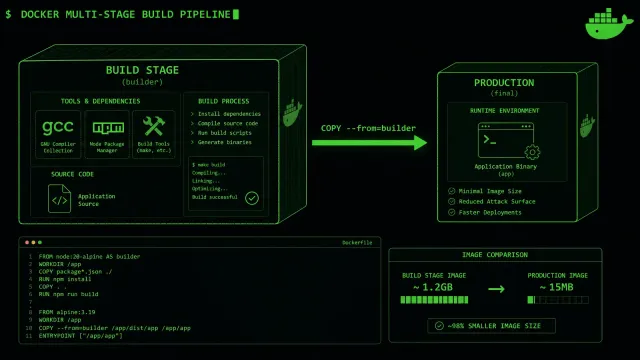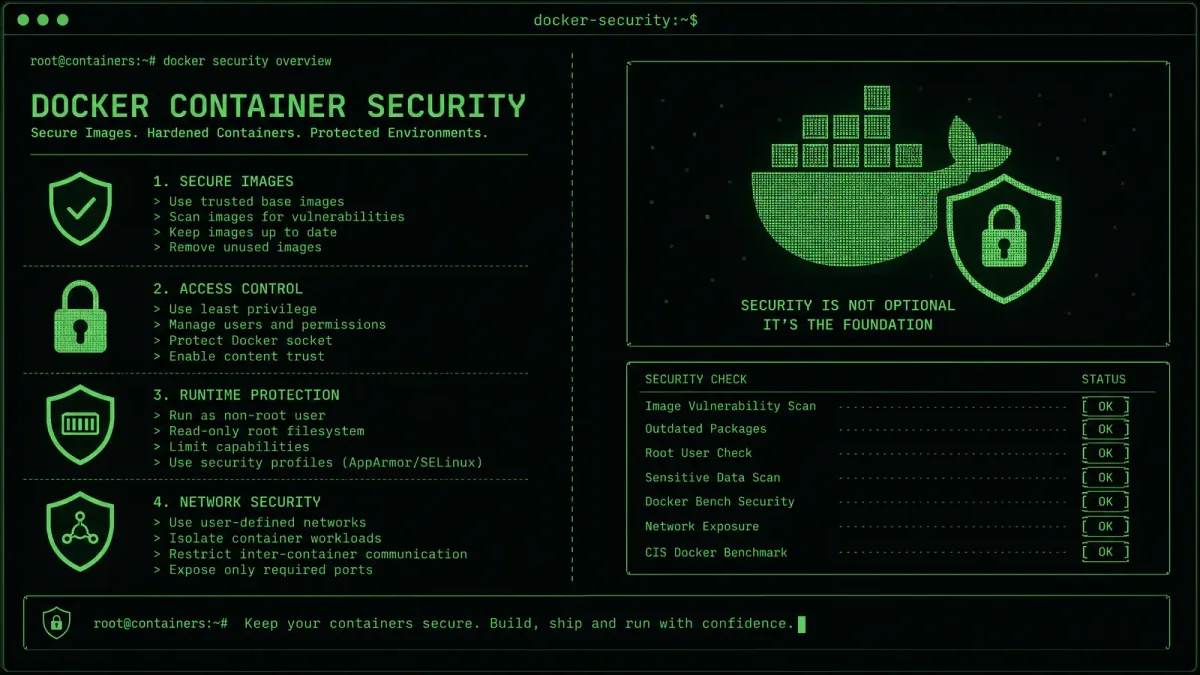
If you’re running Docker containers in production in 2026 without a security strategy, you’re not being adventurous — you’re being negligent. Container adoption has exploded, and so has the attack surface. The AppSec community cataloged over 22 dedicated container security tools this year alone, which tells you something about the scale of the problem (AppSec Santa).
Here are seven practices that separate production-ready deployments from accidental vulnerabilities.
1. Scan Every Image Before It Reaches Your Registry
Pulling images from Docker Hub without scanning them is the container equivalent of running executables from unknown sources. Modern CI pipelines should include automated image scanning as a gate — if a vulnerability is flagged above your threshold, the build fails and nobody deploys a risky image.
Tools like Trivy, Grype, and Snyk Container integrate directly into Docker build workflows. Run them on every docker build, not just on a schedule. A vulnerability discovered during the build costs nothing to fix. The same vulnerability in production costs an incident response.
2. Use Distroless or Minimal Base Images
Your base image is the foundation of every layer that follows. Starting from a full Ubuntu or Debian image means your container ships with package managers, shells, and dozens of libraries that your application will never touch — but an attacker might.
Distroless images strip everything down to just your application and its runtime dependencies. The attack surface shrinks dramatically: no shell to exec into, no package manager to exploit, no unnecessary binaries lurking in /usr/bin. If you need debugging tools, use a separate debug image variant, not your production build.
3. Run Containers as Non-Root Users
The default Docker behavior runs your application as root inside the container. If an attacker breaks out of the container — through a kernel exploit, a misconfigured capability, or a shared volume — they inherit root privileges on the host.
Fix this at build time, not at runtime. Add a USER directive to your Dockerfile:
RUN groupadd -r appgroup && useradd -r -g appgroup appuser
USER appuser
If your application genuinely needs elevated privileges for specific operations, use Linux capabilities (--cap-add) to grant only what’s necessary. Never use --privileged.
4. Implement Network Segmentation Between Containers
A flat Docker network where every container can talk to every other container is a security nightmare waiting to happen. If one container is compromised, the attacker has direct access to your database, your cache, your internal APIs — everything.
Use Docker’s network features to isolate services:
docker network create frontend
docker network create backend
docker network create database
Place your web server on both frontend and backend networks. Put your API server on backend and database. Your database container lives only on the database network. Now a compromised frontend can’t reach the database directly — it has to go through the API server, which gives you another layer of access control.
5. Pin Your Image Tags — Never Use latest in Production
Using :latest as your image tag means you have no idea what code is actually running in production. Someone pushes a new image, your orchestration pulls it on the next restart, and suddenly you’re running a different version than what you tested.
Pin to specific digests:
FROM node:20.14.0-alpine@sha256:abc123...The digest ensures you get exactly the same image bytes every time, regardless of tag changes. It’s the difference between “we deployed the tested build” and “we deployed whatever was latest at 3 AM.”
6. Set Resource Limits on Every Container
An unbounded container can consume all available memory and CPU on the host, creating a denial-of-service condition — whether through a bug, a traffic spike, or a deliberate attack. Docker makes this easy to prevent:
docker run --memory="512m" --cpus="1.0" myappIn Docker Compose, use the deploy.resources section. The point isn’t just to prevent resource exhaustion — it’s to contain the blast radius when something goes wrong. A container with a 512 MB memory limit that crashes is a manageable incident. One that takes down the entire host is a page-at-3-AM situation.
7. Keep Docker Engine and Host OS Patched
All the container-level security in the world won’t help if your Docker Engine has a known CVE or your host OS is running a kernel with public exploits. The 2026 container security landscape includes several high-profile Docker Engine vulnerabilities that were patched in minor releases — but only if you applied them.
Set up automated security updates for your host OS. Subscribe to Docker security advisories. And when a new Docker Engine version drops with security fixes, test it in staging and roll it out within a week, not a quarter.
Related reading: For more on securing your infrastructure, check our guides on Linux server hardening essentials and DevOps security automation.