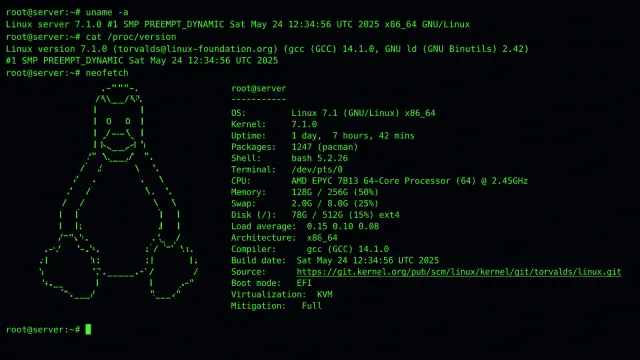
Security researchers have uncovered a backdoor embedded in Linux Pluggable Authentication Module (PAM) software that went undetected for nearly a decade. The discovery, reported by The Hacker News, reveals a sophisticated supply chain compromise that affects authentication on potentially millions of Linux systems worldwide.
For server administrators, this isn’t a theoretical threat — it’s an active vulnerability in the component that controls who can log into your machines. Here’s what you need to know and how to verify your systems.
What Was Compromised
The PAM framework is the authentication backbone of virtually every Linux distribution. When you log in via SSH, sudo, or a desktop login screen, PAM is what verifies your credentials. The compromised modules were distributed through what appeared to be legitimate software channels, meaning many systems installed them as part of normal package management — not through a targeted attack.
Key details from the discovery:
- The backdoor has been present in affected PAM modules for approximately 10 years
- It allows unauthorized access by bypassing standard authentication checks
- The malicious code was designed to blend in with legitimate PAM module behavior, making it difficult to detect through routine audits
- Nation-state actors are believed to be behind the compromise
How to Audit Your Servers
The first step is to verify the integrity of your PAM installation. Here’s a systematic approach:
Step 1: Verify PAM Package Checksums
Every major Linux distribution publishes cryptographic checksums for their packages. Compare your installed PAM packages against the known-good values from your distribution’s repository:
# On Debian/Ubuntu:
dpkg -V libpam-runtime libpam0g libpam-modules

# On RHEL/CentOS/Fedora:
rpm -V pam

# On Arch Linux:
pacman -Qkk pam
If any files report as modified or tampered, investigate immediately. A clean system will return no output from these commands.
Step 2: Check for Unauthorized PAM Modules
List all PAM modules currently loaded on your system and compare them against your distribution’s default set:
# List all .so files in PAM directories
find /lib/security /lib64/security /usr/lib/security -name "*.so" -exec ls -la {} \;
Look for any modules you don’t recognize, especially ones with recent modification dates that don’t correspond to a known package update. Cross-reference each module name against your distribution’s package database.
Step 3: Review PAM Configuration Files
The PAM configuration files in /etc/pam.d/ define the authentication flow for each service. Look for any unusual module references:
# Check for any recently modified PAM configs
find /etc/pam.d/ -type f -mtime -30 -ls

# Review the common services
cat /etc/pam.d/sshd
cat /etc/pam.d/login
cat /etc/pam.d/sudo
A backdoored PAM configuration might include a sufficient directive pointing to a malicious module that grants access without proper credential verification. The keyword to watch for is sufficient — if a compromised module is listed as sufficient and returns success, the authentication chain stops there and grants access.
Step 4: Monitor Authentication Logs
Check your system logs for any suspicious authentication patterns:
# Check for successful logins from unexpected sources
grep "Accepted" /var/log/auth.log | tail -50

# On systemd-based systems:
journalctl -u sshd --since "7 days ago" | grep -i "accepted\|session opened"
Look for logins from IP addresses you don’t recognize, logins at unusual hours, or successful authentications for accounts that should be disabled.
Remediation Steps
If you find evidence of compromise, or if you want to proactively secure your systems:
1. Reinstall PAM packages from your distribution’s official repository. This ensures you get clean, signed binaries:
# Debian/Ubuntu:
sudo apt install --reinstall libpam-runtime libpam0g libpam-modules

# RHEL/CentOS/Fedora:
sudo dnf reinstall pam

# Arch Linux:
sudo pacman -S pam
2. Rotate all credentials. If a backdoor was present, assume all passwords, SSH keys, and tokens that passed through the compromised authentication stack are potentially exposed. Rotate them immediately.
3. Audit user accounts. Check for any unauthorized accounts that may have been created:
# List all users with login shells
getent passwd | grep -v '/nologin\|/false\|/sync'

# Check for users with UID 0 (root-level access)
awk -F: '$3 == 0 { print $1 }' /etc/passwd
Only root should have UID 0. Any other account with UID 0 is a red flag.
4. Enable package verification monitoring. Set up automated checks that verify package integrity on a regular schedule. Tools like aide (Advanced Intrusion Detection Environment) can monitor critical system files for unauthorized changes.
Preventing Future Supply Chain Attacks
This discovery highlights a broader challenge in open-source software security: the supply chain is only as strong as its weakest maintainer. A few steps that reduce your exposure:
- Pin package versions in production and verify signatures before updating
- Use minimal base images in Docker containers to reduce the attack surface
- Implement multi-factor authentication at the application level, not just the OS level, so a compromised PAM module alone isn’t enough to grant access
- Monitor your package sources — if a package comes from an unexpected repository, investigate before installing
The PAM backdoor is a reminder that the most dangerous threats are the ones hiding in plain sight, embedded in software you trust and installed through channels you assume are secure. A regular audit cadence is your best defense.