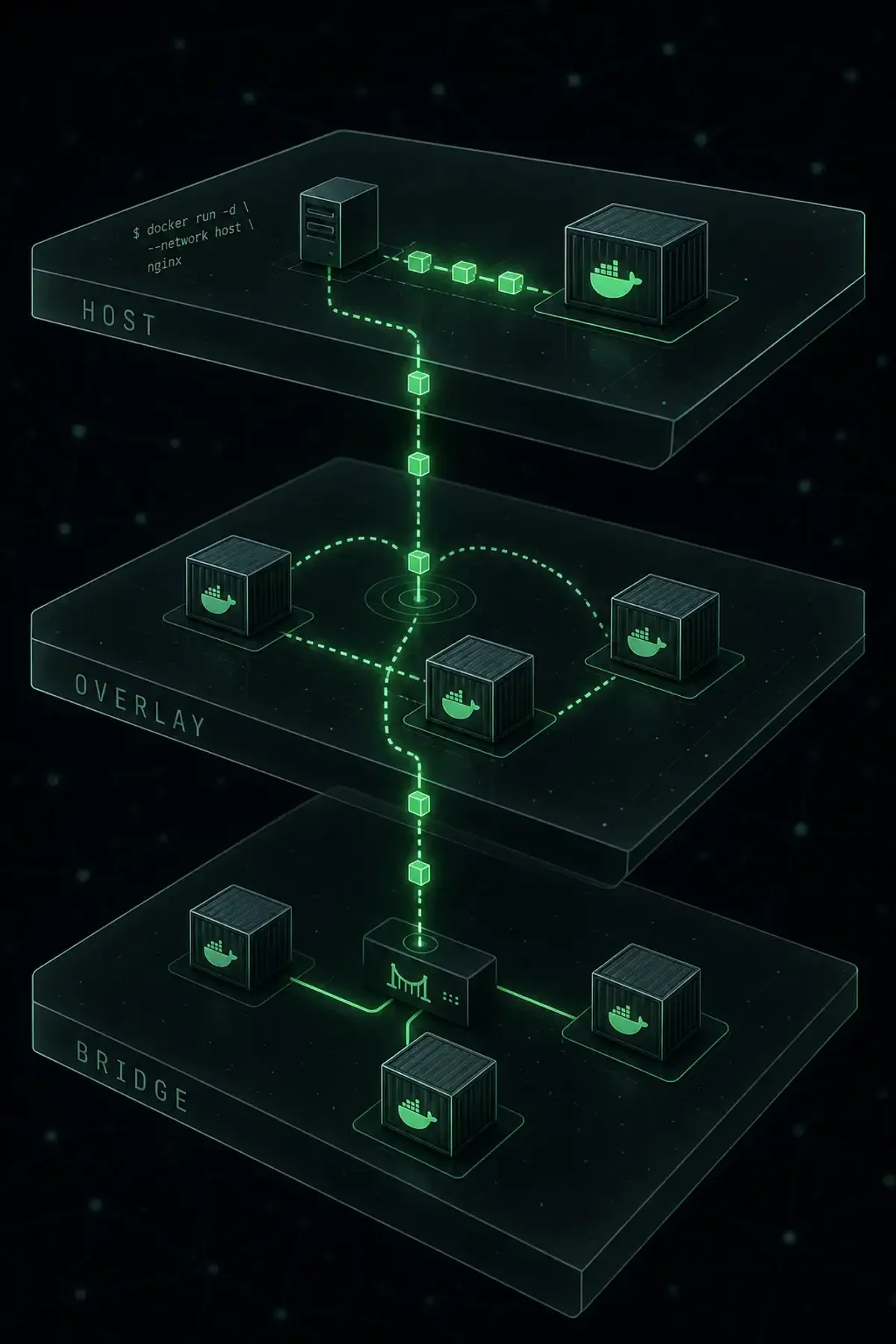
The Four Network Drivers
| Driver | Scope | Use Case |
|---|---|---|
| bridge | Single host | Default, containers on same host |
| host | No isolation | Maximum performance |
| overlay | Multi-host | Swarm services across hosts |
| macvlan | Physical net | Container gets its own MAC and IP |
Bridge Networks
docker network create --driver bridge mynet
docker run --name app1 --network mynet nginx
docker run --name app2 --network mynet nginx
docker exec app2 ping app1  # DNS resolution works
User-defined bridges have built-in DNS. The default docker0 bridge does not.
Host Networking
docker run --network host nginx
# Nginx on host port 80, no port mapping needed
# Zero overhead, no isolation
Overlay Networks (Swarm)
docker network create --driver overlay --attachable my-overlay
docker service create --name web --network my-overlay --replicas 3 nginx
VXLAN tunnels connect containers across hosts. Services on the same overlay reach each other by service name.
MACVLAN Networks
docker network create --driver macvlan \
  --subnet=192.168.1.0/24 --gateway=192.168.1.1 \
  -o parent=eth0 macvlan-net
docker run --network macvlan-net --ip=192.168.1.100 nginx
Each container gets its own MAC address. Limitation: host can’t communicate with macvlan containers.
IPvLAN (MACVLAN Alternative)
Shares the parent interface’s MAC address, avoiding switch MAC table exhaustion.
Troubleshooting
docker network inspect bridge | jq '.[0].Containers[].IPv4Address'
docker exec my-container ip addr
docker exec my-container nslookup other-container
sudo iptables -t nat -L DOCKER -n
sudo tcpdump -i veth12345 -nn
Choosing a Driver
Development: user-defined bridge. High performance: host. Multi-host Swarm: overlay. Physical network access: macvlan/ipvlan. Bridge covers 90% of cases.