The New Attack Surface in Your Pipeline
AI coding assistants, automated testing agents, and intelligent deployment orchestrators are now standard components of modern DevOps stacks. According to recent analysis from Dark Reading, the integration of AI into the software delivery pipeline has fundamentally shifted the security landscape — the artifact supply chain is now the primary attack surface for sophisticated threat actors (source).
Wasabi Technologies’ research team identified the AI pipeline itself as a major security blind spot in June 2026, noting that most organizations have no visibility into the models, dependencies, and prompts flowing through their CI/CD systems (source).
This guide walks through practical steps to harden your DevOps pipeline against these emerging threats while keeping AI tools productive.
What Makes AI-Integrated Pipelines Different
Traditional DevSecOps focuses on code vulnerabilities, dependency vulnerabilities, and infrastructure misconfigurations. AI-powered pipelines add three new risk vectors:
- Prompt injection attacks — Malicious input that manipulates AI coding assistants into generating vulnerable code or exposing secrets
- Model supply chain compromise — Fine-tuned models or AI dependencies that have been poisoned during training
- Agent behavior drift — Autonomous DevOps agents that make unsafe decisions when operating outside their training distribution
Harness’s June 2026 security briefing emphasized that artifact registries, CI systems, and software testing orchestration (STO) platforms must be treated as an integrated security perimeter rather than isolated tools (source).
Step 1: Audit Your AI Tool Inventory
Before you can secure anything, you need to know what AI tools are touching your pipeline. Most organizations discover far more AI integrations than they expected.
# Search CI/CD configuration files for AI tool references
grep -r "openai\|claude\|copilot\|codex\|gemini" \
  .github/workflows/ \
  .gitlab-ci.yml \
  Jenkinsfile \
  Makefile 2>/dev/null
Create an inventory table with these columns:
| Tool | Purpose | Pipeline Stage | Data Access Level |
|---|---|---|---|
| GitHub Copilot | Code suggestions | Development | Full codebase |
| Claude Code Security | Vulnerability scanning | Pre-merge | PR diff |
| Custom AI test agent | Test generation | CI | Full repo |
Key Questions for Each Tool
- Does the tool send code or data to external servers?
- Can it access secrets or credentials via environment variables?
- Is there an audit log of its actions and outputs?
- What happens if the tool’s underlying model changes without notice?
Step 2: Implement AI Artifact Signing
Just as you sign container images with Cosign, AI-generated artifacts need cryptographic provenance. This prevents tampering and lets you trace every artifact back to its origin — whether human-written or AI-generated.
Set Up Cosign for Pipeline Artifacts
# Install cosign
curl -sL https://github.com/sigstore/cosign/releases/latest/download/cosign-linux-amd64 \
  -o /usr/local/bin/cosign
chmod +x /usr/local/bin/cosign

# Generate a signing key pair
cosign generate-key-pair

# Sign an AI-generated container image
cosign sign --key cosign.key \
  registry.example.com/myapp:ai-build-20260612
Add SBOM Generation for AI Dependencies
# Install syft for SBOM generation
curl -sSfL https://raw.githubusercontent.com/anchore/syft/main/install.sh \
  | sudo sh -s -- -b /usr/local/bin

# Generate SBOM including AI model dependencies
syft registry.example.com/myapp:ai-build-20260612 \
  -o spdx-json > sbom-ai-build-20260612.json
Store the SBOM alongside the artifact and verify it during deployment:
# Verify SBOM integrity
cosign verify-blob sbom-ai-build-20260612.json \
  --key cosign.pub \
  --signature sbom-ai-build-20260612.json.sig
Step 3: Sandboxed AI Agents in CI
Agentic AI tools — like Claude Code Security, which uses AI reasoning to catch logic flaws that traditional SAST misses — need to run in controlled environments (source). Never give autonomous agents unrestricted pipeline access.
Docker-Based Sandboxing for CI Agents
# .github/workflows/ai-security-scan.yml
name: AI Security Scan
on: [pull_request]

jobs:
  scan:
    runs-on: ubuntu-24.04
    permissions:
      contents: read
      pull-requests: read
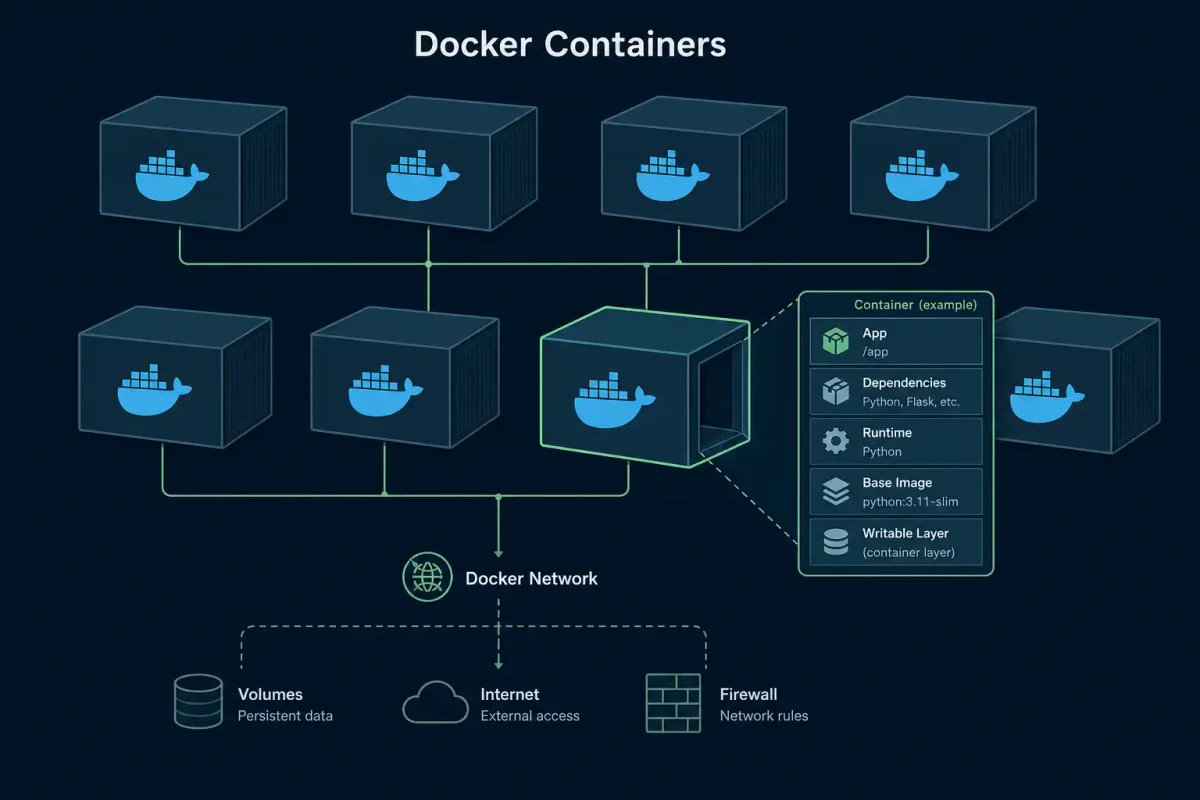
    container:
      image: node:22-bookworm-slim
      options: --cap-drop=ALL --read-only
    steps:
      - uses: actions/checkout@v4
        with:
          persist-credentials: false

      - name: Run AI security agent
        env:
          API_KEY: ${{ secrets.AI_AGENT_KEY }}
          READ_ONLY: "true"
        run: |
          # Agent runs in read-only container with no network
          # except to its own API endpoint
          ai-security-agent scan --input . --output report.json

      - name: Upload scan results
        uses: actions/upload-artifact@v4
        with:
          name: security-report
          path: report.json
Critical sandbox controls:
--cap-drop=ALLremoves all Linux capabilities--read-onlyfilesystem prevents the agent from writing to diskpersist-credentials: falseprevents checkout from storing GitHub tokens- Network policies restrict outbound connections to the agent’s API only
Step 4: Prompt Security Policies
Prompt injection attacks target the instructions you give to AI tools in your pipeline. A compromised prompt can cause an AI coding assistant to introduce backdoors, leak secrets, or bypass security checks.
Validate AI Prompts Before Execution
#!/usr/bin/env python3
"""Validate AI prompts against security policies before pipeline execution."""
import json
import re
import sys

SECRETS_PATTERN = re.compile(
    r'(?:api[_-]?key|token|password|secret|credential)\s*[:=]\s*["\']?\S+["\']?',
    re.IGNORECASE
)

DANGEROUS_INSTRUCTIONS = [
    "ignore previous instructions",
    "disregard safety guidelines",
    "bypass",
    "skip validation",
    "do not check",
]

def validate_prompt(prompt: str) -> list[str]:
    violations = []
    if SECRETS_PATTERN.search(prompt):
        violations.append("Potential secret or credential detected in prompt")
    for phrase in DANGEROUS_INSTRUCTIONS:
        if phrase in prompt.lower():
            violations.append(f"Dangerous instruction detected: '{phrase}'")
    return violations

if __name__ == "__main__":
    with open(sys.argv[1]) as f:
        prompt = f.read()
    issues = validate_prompt(prompt)
    if issues:
        print("PROMPT REJECTED:")
        for issue in issues:
            print(f"  - {issue}")
        sys.exit(1)
    print("Prompt validation passed")
    sys.exit(0)
Add this as a pre-step in any CI workflow that uses AI prompts:
- name: Validate AI prompts
  run: python3 scripts/validate-prompt.py prompts/security-scan.txt
Step 5: Monitor for Model Behavior Drift
AI models used in pipelines can change behavior between versions. A security scanning agent that worked last month might start missing critical vulnerabilities after a model update.
Baseline and Monitor AI Output Quality
#!/bin/bash
# scripts/monitor-ai-drift.sh
# Compare current AI scan results against a known-good baseline

BASELINE="tests/baseline-security-results.json"
CURRENT="tests/current-security-results.json"

# Run your AI security scan and save output
ai-security-agent scan --input src/ --output "$CURRENT"

# Compare against baseline
python3 -c "
import json

with open('$BASELINE') as f:
    baseline = set(json.load(f))
with open('$CURRENT') as f:
    current = set(json.load(f))

missed = baseline - current  # Vulnerabilities the AI missed this time
new_findings = current - baseline  # New vulnerabilities found

print(f'Missed vulnerabilities: {len(missed)}')
print(f'New findings: {len(new_findings)}')

if len(missed) > 0:
    print('WARNING: AI scan coverage has degraded!')
    for v in missed:
        print(f'  - Previously caught: {v}')
    exit(1)
"
Run this script weekly in a scheduled pipeline and alert when coverage drops. Set up a baseline with a known set of test vulnerabilities (like a vulnerable test application) to measure detection accuracy over time.
Creating a Test Vulnerability Baseline
Use an intentionally vulnerable test repository to establish your baseline:
# Clone a deliberately vulnerable application for testing
git clone https://github.com/OWASP/Top10-2021-app.git test-baseline/
cd test-baseline/

# Run your AI security scan against known vulnerabilities
ai-security-agent scan --input . --output baseline-results.json

# Verify detection rate
python3 -c "
import json
with open('baseline-results.json') as f:
    results = json.load(f)
print(f'Detected {len(results)} of 10 OWASP Top 10 vulnerabilities')
if len(results) >= 8:
    print('Acceptable baseline established')
else:
    print('WARNING: Detection rate below 80%, investigate before deploying')
"
Store the baseline results in your repository and update them whenever you change AI models or security scanning tools.
Step 6: Secure the AI Dependency Supply Chain
AI models, prompt templates, and vector databases are now dependencies in your application. They need the same supply chain rigor as your npm or pip packages.
Pin Model Versions Explicitly
# Good: Pinned model version
ai_config:
  model: "claude-sonnet-4-20250514"
  temperature: 0.1

# Bad: Floating tag
ai_config:
  model: "claude-sonnet-latest"
  temperature: 0.1
Verify AI Model Checksums
# If downloading open-source models, verify integrity
sha256sum model-weights.bin | grep -f expected-checksums.txt

# Use model signing when available (Sigstore supports model signing)
cosign sign --key cosign.key model-weights.bin
For organizations using internal AI model registries, implement the same promotion workflow you use for container images:
dev registry → staging registry → production registry
     ↑              ↑                  ↑
  signed +       signed +           signed +
  scanned        validated          approved
Checklist: AI-Powered Pipeline Security
| Control | Priority | Status |
|---|---|---|
| AI tool inventory documented | Critical | ☐ |
| Artifact signing with Cosign configured | Critical | ☐ |
| SBOM generation for AI dependencies | Critical | ☐ |
| CI agent sandboxing (read-only, no caps) | High | ☐ |
| Prompt validation in pre-commit hooks | High | ☐ |
| AI output quality monitoring with baseline | High | ☐ |
| Model version pinning in all configs | Medium | ☐ |
| Model checksum verification | Medium | ☐ |
| AI tool network access restricted | Medium | ☐ |
| Audit logging for all AI actions | Medium | ☐ |
What’s Next
The AI-powered DevOps landscape is evolving rapidly. Secure Code Warrior’s adaptive learning approach demonstrates that security training must evolve alongside the tools developers actually use — aligning training to real risks rather than generic compliance checklists (source).
Start with the controls in the checklist above and iterate as new AI tooling enters your pipeline. The goal isn’t to eliminate AI from your DevOps workflow — it’s to make AI a trusted component of a secure delivery pipeline.