Why Risk-Based Patching Matters Now
In June 2026, CISA released Binding Operational Directive 26-04, which fundamentally changes how organizations approach vulnerability management. The directive shifts from severity-score-driven patching to a risk-based model that prioritizes real-world exploitation, asset exposure, and attacker impact.
For server administrators, this means:
- Not all patches are created equal — a CVSS 9.8 vulnerability with no known exploit is less urgent than a CVSS 7.5 with active wild exploitation
- Three-day windows for critical, actively exploited flaws
- Automated tracking of the Known Exploited Vulnerabilities (KEV) catalog
The June 2026 Patch Tuesday alone addressed a record 206 CVEs, with AI accelerating both vulnerability discovery and exploitation. Manual patch cycles can no longer keep pace.
This guide walks you through setting up automated, risk-aware patch management on Ubuntu servers using unattended-upgrades, with prioritization rules that mirror the CISA risk-based framework.
Step 1: Install Required Packages
Start by installing the core automation tools:
sudo apt update
sudo apt install unattended-upgrades apt-listchanges
The apt-listchanges package sends you changelogs via email before updates are applied, so you know exactly what changed on your servers.
Step 2: Enable Automatic Updates
Run the interactive configuration to enable automatic updates:
sudo dpkg-reconfigure -plow unattended-upgradesWhen prompted, select Yes to download and install stable updates automatically. This creates /etc/apt/apt.conf.d/20auto-upgrades with the following content:
APT::Periodic::Update-Package-Lists "1";
APT::Periodic::Unattended-Upgrade "1";
Step 3: Configure Risk-Based Patch Priorities
The main configuration file lives at /etc/apt/apt.conf.d/50unattended-upgrades. Open it for editing:
sudo nano /etc/apt/apt.conf.d/50unattended-upgradesOrigin Patterns
The Unattended-Upgrade::Allowed-Origins section controls which repositories receive automatic updates. For production servers, be selective:
Unattended-Upgrade::Allowed-Origins {
    "${distro_id}:${distro_codename}";
    "${distro_id}:${distro_codename}-security";
    // "${distro_id}:${distro_codename}-updates";
    // "${distro_id}:${distro_codename}-proposed";
    // "${distro_id}:${distro_codename}-backports";
};
For risk-based patching, enable only the base and security origins by default. The -updates line is commented out — this prevents automatic feature updates that could break services. Security patches arrive through the -security origin regardless.
Package Blacklist
Hold packages that require manual testing before upgrading:
Unattended-Upgrade::Package-Blacklist {
    // Kernel packages — reboot required, schedule manually
    "linux-image-";
    "linux-headers-";
    // Database servers — version-specific configurations
    "mysql-server";
    "postgresql-";
    // Web servers with custom modules
    "nginx";
    "apache2";
    // Container runtimes
    "docker-ce";
    "containerd.io";
};
This blacklist follows the CISA principle: protect stability for high-impact services while allowing automatic security patches for lower-risk packages.
Automatic Reboot Configuration
For truly critical patches (kernel-level security fixes), configure automatic reboot with a maintenance window:
Unattended-Upgrade::Automatic-Reboot "true";
Unattended-Upgrade::Automatic-Reboot-Time "03:00";
Unattended-Upgrade::Automatic-Reboot-WithUsers "false";
This reboots the server at 3:00 AM only if no users are logged in, minimizing disruption.
Step 4: Set Up Email Notifications
Configure email alerts so you know exactly what was patched and when:
Unattended-Upgrade::Mail "admin@yourserver.com";
Unattended-Upgrade::MailReport "on-change";
Unattended-Upgrade::MailOnlyOnError "false";
The on-change setting sends email only when packages are actually upgraded, reducing noise compared to daily reports.
Make sure your server can send email. For a lightweight solution, install msmtp:
sudo apt install msmtp msmtp-mtaThen configure /etc/msmtprc with your SMTP relay settings.
Step 5: Fine-Tune Update Scheduling
Edit the periodic configuration to control when updates run:
sudo nano /etc/apt/apt.conf.d/20auto-upgradesAdd these directives:
APT::Periodic::Update-Package-Lists "1";
APT::Periodic::Download-Upgradeable-Packages "1";
APT::Periodic::AutocleanInterval "7";
APT::Periodic::Unattended-Upgrade "1";
APT::Periodic::Verbose "2";
This configuration:
- Checks for updates daily
- Downloads upgradeable packages daily (but only installs based on your origin rules)
- Cleans the apt cache weekly
- Enables verbose logging for audit trails
Step 6: Logging and Audit Trails
Unattended-upgrades logs to /var/log/unattended-upgrades/. The key files:
| File | Purpose |
|---|---|
unattended-upgrades.log | Main operation log |
unattended-upgrades-dpkg.log | dpkg-level details |
For compliance with directives like BOD 26-04, you need a clear audit trail. Set up log rotation:
sudo nano /etc/logrotate.d/unattended-upgrades/var/log/unattended-upgrades/*.log {
weekly
rotate 12
compress
delaycompress
missingok
notifempty
}This keeps three months of logs, compressed and rotated weekly.
Step 7: Test Your Configuration
Before relying on automated patches, run a dry-run to verify your settings:
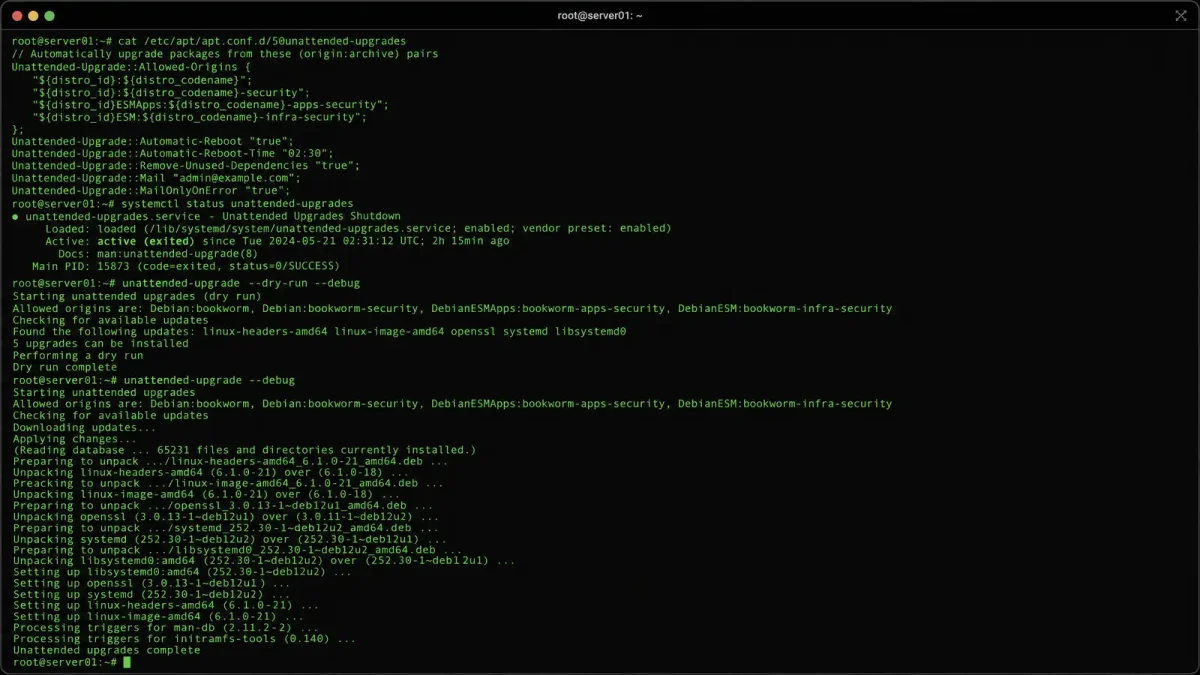
sudo unattended-upgrade --dry-run -dThe -d flag enables debug output, showing exactly which packages would be upgraded and why. Review the output carefully to ensure:
- Security packages are included
- Blacklisted packages are skipped
- No unexpected package upgrades
Step 8: Monitor KEV Catalog Updates
While unattended-upgrades handles the mechanics, the risk-based approach requires human judgment on KEV catalog entries. Set up a weekly check:
curl -s https://www.cisa.gov/known-exploited-vulnerabilities-catalog \
  | grep -A 5 "ubuntu\|linux" | head -20
Alternatively, use the official JSON feed:
curl -s https://www.cisa.gov/sites/default/files/feeds/known_exploited_vulnerabilities.json \
  | python3 -c "
import json, sys
data = json.load(sys.stdin)
for vuln in data['vulnerabilities']:
    if 'ubuntu' in vuln.get('notes', '').lower() or \
       'linux' in vuln.get('product', '').lower():
        print(f\"{vuln['cveID']}: {vuln['shortDescription']}\")
"
When a vulnerability on your server appears in the KEV catalog, prioritize it immediately regardless of your normal patch schedule. This is the core principle of BOD 26-04: real-world exploitation trumps theoretical severity scores.
Complete Configuration Reference
Here’s a production-ready 50unattended-upgrades template:
Unattended-Upgrade::Allowed-Origins {
    "${distro_id}:${distro_codename}";
    "${distro_id}:${distro_codename}-security";
};

Unattended-Upgrade::Package-Blacklist {
    "linux-image-";
    "linux-headers-";
    "mysql-server";
    "postgresql-";
    "nginx";
    "apache2";
    "docker-ce";
    "containerd.io";
};

Unattended-Upgrade::Automatic-Reboot "true";
Unattended-Upgrade::Automatic-Reboot-Time "03:00";
Unattended-Upgrade::Automatic-Reboot-WithUsers "false";
Unattended-Upgrade::Mail "admin@yourserver.com";
Unattended-Upgrade::MailReport "on-change";
Unattended-Upgrade::Remove-Unused-Kernel-Packages "true";
Unattended-Upgrade::Remove-New-Unused-Dependencies "true";
Troubleshooting
Updates Not Running
Check the systemd timer status:
systemctl status apt-daily-upgrade.timer
systemctl status apt-daily.timer
If timers are disabled, re-enable them:
sudo systemctl enable --now apt-daily-upgrade.timer
sudo systemctl enable --now apt-daily.timer
Package Held Back
If a security update is being skipped, check the blacklist:
grep -A 50 "Package-Blacklist" /etc/apt/apt.conf.d/50unattended-upgradesRemove the package from the blacklist if you want it auto-updated.
Email Not Sending
Test your mail configuration:
echo "Test email from unattended-upgrades" | mail -s "Test" admin@yourserver.comCheck /var/log/mail.log for delivery errors.
Summary
Risk-based patch management on Ubuntu servers involves three layers:
- Automation —
unattended-upgradeshandles the mechanical work - Prioritization — Blacklist high-impact services, whitelist security origins
- Intelligence — Monitor the KEV catalog for actively exploited vulnerabilities
This approach aligns with CISA BOD 26-04’s core philosophy: patch smarter, not harder. Focus your attention on vulnerabilities that are actually being exploited in the wild, and let automation handle the rest.
For servers running critical services, combine this with regular manual testing of held-back packages in a staging environment before deploying to production.