July 2026’s patch cycle is not one you want to put off until next week. Microsoft dropped 570 vulnerability fixes in its July Patch Tuesday update, three of them zero-days that were being actively exploited before the patches shipped. At the same time, CISA added Fortinet and SonicWall vulnerabilities to its Known Exploited Vulnerabilities catalog with a hard deadline for federal agencies: patch by July 17 or disconnect the affected systems.
If you manage Linux servers that sit behind Fortinet firewalls or SonicWall appliances, or if your environment includes any Windows Server instances that haven’t been patched yet, you’re behind. The CISA deadline has already passed — July 17 came and went yesterday. If you haven’t patched, you’re operating in incident-response territory, not maintenance mode.
The Microsoft flood: 570 flaws, 3 zero-days
The headline number from Microsoft’s July 2026 Patch Tuesday is 570 — one of the largest single-month patch dumps in the company’s history. For context, a typical Patch Tuesday lands somewhere between 60 and 120 fixes. Five hundred and seventy means something structural went wrong in Microsoft’s development pipeline, or Microsoft got dramatically better at finding and reporting its own flaws, or both.
The volume alone is a problem. Even well-staffed IT teams will struggle to test and deploy this many patches before attackers reverse-engineer the fixes and start writing exploits. Reverse-engineering a Windows patch to identify the underlying vulnerability typically takes 24 to 72 hours for well-resourced threat actors. With 570 targets available, attackers don’t need to go after all of them — they just need to find the one your team hasn’t deployed yet. The math is not on the defender’s side.
Three of the vulnerabilities are confirmed zero-days, meaning they were being exploited in the wild before Microsoft shipped patches. The details of exactly which CVE numbers correspond to the zero-days are in Microsoft’s Security Response Center advisory, but the pattern is consistent with what we’ve seen throughout 2026: attackers are moving faster from disclosure to exploitation, and the window between patch release and active exploitation is shrinking below what most organizations can match with manual processes.
If you’re running Windows Server in production, the priority order is straightforward: patch domain controllers first, then internet-facing servers, then internal application servers, then client machines. Domain controllers are the keys to the kingdom. An attacker with DC access can create accounts, modify group policies, and persist indefinitely. Internet-facing servers are the initial entry points. Everything else can wait until those two categories are done.
Testing patches before deployment is still best practice, but when you’re dealing with confirmed zero-days and a 570-patch payload, the risk calculation shifts. A patch that breaks an application and requires a rollback is a service disruption. An unpatched zero-day on an internet-facing server is a potential compromise. The math on which one costs more is rarely ambiguous.
Fortinet: CISA says patch or disconnect
CISA’s Binding Operational Directive 26-04 requires federal agencies to patch Known Exploited Vulnerabilities within a specified timeframe or stop using the affected product. The latest additions to the KEV catalog include Fortinet vulnerabilities that are being actively exploited in attacks.
Fortinet devices — FortiGate firewalls, FortiSwitch, FortiAP — are ubiquitous in enterprise and government networks. They sit at the network edge, which makes them both a critical security control and a high-value target. An attacker who compromises a FortiGate firewall can intercept, modify, or redirect traffic for an entire network segment. They can disable logging, create backdoor admin accounts, and establish persistent VPN tunnels that survive reboots and firmware updates.
The patch process for Fortinet devices varies significantly by model and current firmware version. Older FortiGate units running FortiOS 6.x may need to step through intermediate 7.0.x releases before reaching the patched 7.2.x or 7.4.x version. Fortinet’s upgrade path tool on their support portal will map the exact steps for your serial number. Do not skip intermediate versions — FortiOS upgrades can corrupt configuration databases if you jump too many major versions at once, and recovering from a corrupted FortiGate config during a security incident is a special kind of nightmare.
Before upgrading, export a backup of the current configuration and verify that you can restore it. Fortinet configs are text-based and can be diffed before and after the upgrade to catch unexpected changes. The command is straightforward:
execute backup config tftp <filename> <tftp-server-ip>For cloud-based Fortinet deployments where patching is handled by the provider, CISA’s guidance says to discontinue use if mitigations aren’t available. That’s an unusually strong statement — CISA doesn’t tell agencies to disconnect production systems lightly — and it reflects the severity of the underlying vulnerabilities. If your Fortinet cloud instance hasn’t been patched by the provider, you need to migrate to a different solution or accept that the device is compromised.
SonicWall SMA1000: zero-day exploitation confirmed
SonicWall’s Secure Mobile Access 1000 series appliances have two vulnerabilities that CISA confirmed are being actively exploited. Both were added to the KEV catalog with the same July 17 deadline.
The SMA1000 series is used for SSL VPN and remote access. A compromised SMA1000 appliance gives attackers a direct, encrypted tunnel into the internal network that looks identical to legitimate user traffic. They can reach any server that remote employees can reach, using credentials that may have been harvested from the appliance’s authentication database or session tokens.
If you’re using SMA1000 devices and haven’t patched yet, you have an active security incident, not a routine maintenance item. Start by taking the appliances offline. Then audit every server that was reachable through the VPN for signs of compromise: new user accounts, modified SSH authorized_keys files, unexpected cron jobs, listening services on unusual ports, and outbound network connections to IP addresses that don’t appear in your normal traffic patterns.
SonicWall has released firmware updates. Apply them from a clean management workstation — not from a machine that connects through the potentially compromised VPN. After patching, change all administrative credentials on the appliance, regenerate any certificates it uses, and force password resets for all VPN users.
What this means for Linux admins
Most of the headlines this cycle are about Microsoft and proprietary appliances, but Linux servers don’t get a free pass. Several of the 570 Microsoft patches address vulnerabilities in software that runs on or interacts with Linux systems: Hyper-V integration components, Azure Linux agents, .NET runtime components that may be deployed on Linux containers. If your environment is heterogeneous, which most are, the Microsoft patches affect you even if your servers run Linux.
More importantly, Fortinet and SonicWall appliances are typically deployed in front of Linux servers. If the firewall or VPN concentrator gets compromised, the Linux servers behind it are reachable. Patch the network perimeter first, then verify that your Linux servers’ own security posture is intact.
Here’s a quick audit checklist for Linux servers behind a potentially compromised perimeter:
Check for unauthorized SSH keys in /root/.ssh/authorized_keys and /home/*/.ssh/authorized_keys. Review /var/log/auth.log for authentication events from unexpected IP addresses or at unusual times. Run ss -tlnp to list listening services and verify that nothing unexpected has bound to a port. Check crontab -l for every user account that has one, and look at /etc/cron.*/ for scripts you didn’t put there.
A practical order of operations for this cycle:
- Patch Fortinet firewalls and SonicWall appliances immediately — even if it means taking them offline during business hours
- Deploy Microsoft patches to Windows domain controllers and internet-facing servers
- Audit Linux servers behind any patched or potentially compromised appliances for signs of prior compromise
- Deploy remaining Microsoft patches to internal servers and clients
- Update any container images that bundle .NET or other Microsoft components and redeploy
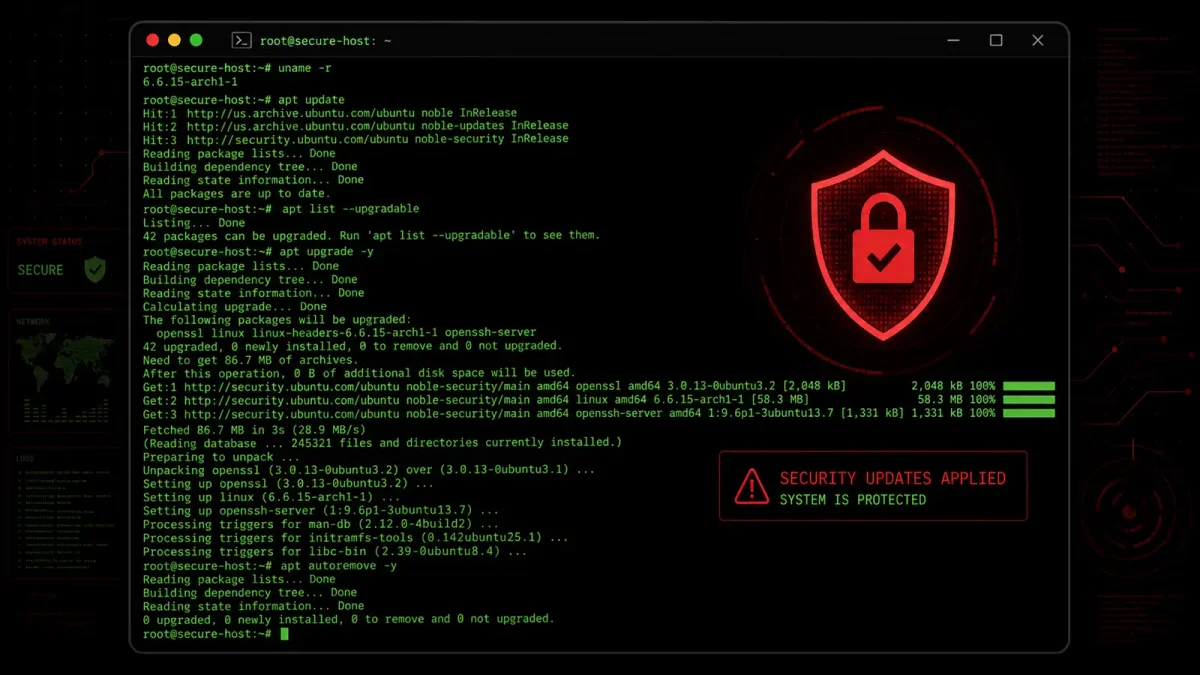
- Verify that unattended-upgrades or dnf-automatic on Linux servers have applied the latest security patches
Building a patch routine that survives weeks like this
Weeks like this one — 570+ patches, multiple appliance vendors, active exploitation — are going to happen more often. The attack surface keeps growing, the time between disclosure and exploitation keeps shrinking, and the patch volume keeps increasing. A patch management process that works during a quiet month needs to also work when everything lands at once.
Automate what you can. If you’re still checking for updates manually on individual servers, you’re falling behind. Enable unattended-upgrades on Ubuntu with security-only sources:
apt install unattended-upgrades
dpkg-reconfigure unattended-upgrades
Configure /etc/apt/apt.conf.d/50unattended-upgrades to enable only the security repository. On RHEL-based systems, use dnf-automatic with the security-only configuration. For Windows, configure Windows Update for Business or WSUS with automatic approval for security updates. The goal is to make the default action “apply security patches” rather than “wait for someone to approve them.”
Maintain an asset inventory you trust. You can’t patch devices you don’t know exist. If you discover Fortinet appliances or SonicWall VPN concentrators during an incident rather than from your inventory, your inventory is broken. Fix it before the next patch cycle.
Have a tested rollback procedure for every device class. Fast patching is only viable if you can undo it. Test firmware rollback on network appliances. Know how to boot into the previous kernel on Linux by holding Shift during GRUB. Have verified Windows Server backups. If you don’t know exactly how to undo a patch that breaks something, you’re going to hesitate before deploying it, and hesitation during a zero-day window is what gets you compromised.
Segment your network so perimeter compromises don’t cascade. If a compromised SonicWall VPN appliance gives an attacker access to every server, the architecture is the problem as much as the appliance. Put VPN concentrators in a DMZ with explicit firewall rules limiting what they can reach. Use jump hosts for administrative access to production servers. Segment application tiers so a breach at one layer doesn’t automatically grant access to all layers.
This July cycle is bad, really bad. The teams that handle it well are the ones where most of this process was automated before the emergency started. If you’re spending this week catching up, spend next week building the automation so next time you’re not. Patch management isn’t a security task you perform during incidents — it’s infrastructure you build during calm periods so that when the next 570-patch month hits, the machines do the work and you do the verification.