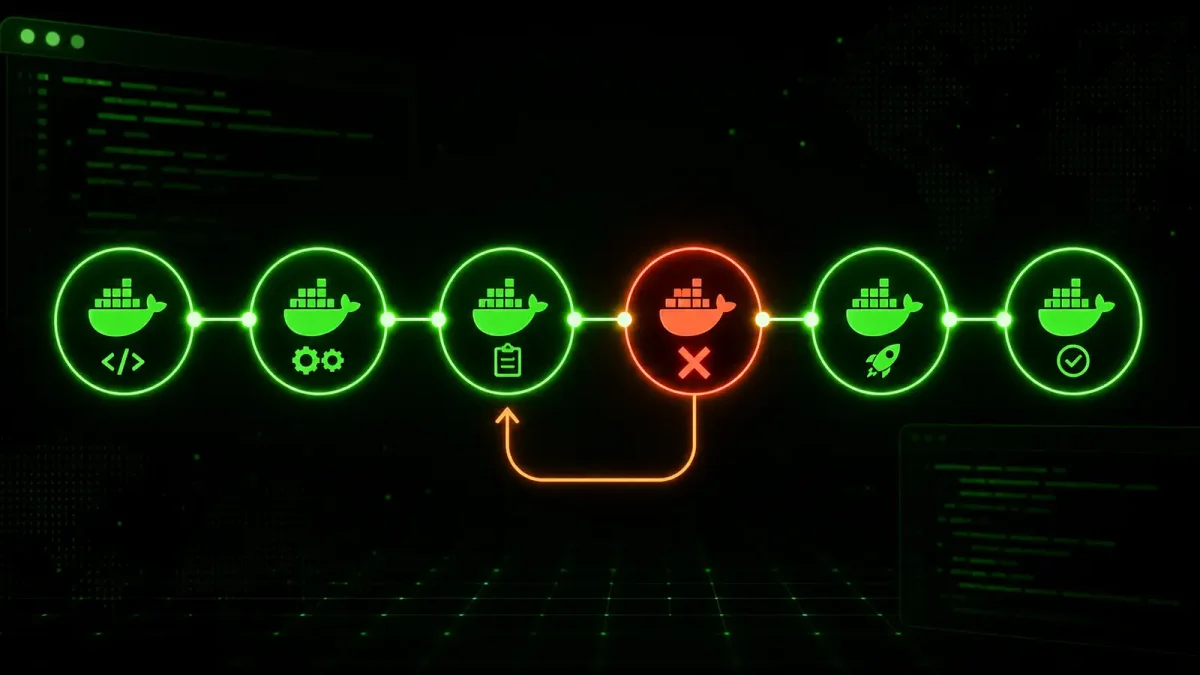
You have a Docker container that starts fine during local testing. It passes unit tests. The CI pipeline builds the image, pushes it to a registry, and deploys it. Then, at 3 a.m., you get paged because the application inside the container crashed two hours ago and nobody noticed until a customer filed a support ticket.
The container was running. The process was alive. But the application was dead.
This is the gap that Docker health checks are specifically designed to close. And when you wire them into your CI/CD pipeline, you catch failures during deployment, not during your sleep.
What Docker health checks actually do
A Docker health check is a critical command that runs inside your container at a regular interval. If the command succeeds, the container is healthy. If it fails repeatedly, Docker marks it as unhealthy.
Here is the simplest version, in a Dockerfile:
FROM nginx:alpine
HEALTHCHECK --interval=10s --timeout=3s --retries=3 \
  CMD curl -f http://localhost/ || exit 1
This tells Docker to run curl against the container’s HTTP endpoint once every 10 seconds. If it fails three times in a row, the container gets flagged as unhealthy.
The important thing to understand is that a running container and a healthy container are fundamentally different states, and confusing the two is how production outages happen. A process can stay alive while the application behind it is deadlocked, out of memory, or returning 500s on every request. The health check catches those failures because it tests the actual behavior of the application, not just whether the process is still in the process table.
Writing health checks that actually catch failures
A health check that only tests whether port 80 is listening is better than nothing, but not by much. You want your health check to exercise a real code path through your application. The more layers of your stack the check touches, the more failure modes it can detect.
Here is a rule of thumb: a health check that tests a static file on disk catches zero application failures. A health check that tests an HTTP route in your app catches failures in your HTTP layer. A health check that hits a route that queries the database catches failures in both the HTTP layer and the data layer. A health check that hits a route that queries the database and checks a queue catches failures across your entire stack.
The goal is not to make health checks slow. They should still return quickly — sub-second response times are ideal. But they should be thorough enough that a passing health check gives you real confidence that the service is functional.
For a web application, hit an endpoint that touches the database and returns a known response:
HEALTHCHECK --interval=15s --timeout=5s --retries=3 \
  CMD curl -f http://localhost:3000/health || exit 1
The /health endpoint should not just return 200. It should verify database connectivity, check that background workers are processing jobs, and confirm that external dependencies are reachable. A minimal implementation in Express:
app.get('/health', async (req, res) => {
  try {
    await db.raw('SELECT 1');
    const queueSize = await redis.llen('jobs:pending');
    if (queueSize > 10000) return res.status(503).json({ status: 'degraded' });
    res.json({ status: 'ok', uptime: process.uptime() });
  } catch (err) {
    res.status(503).json({ status: 'error', message: err.message });
  }
});
For non-HTTP services, test whatever makes the service useful and functional. A Redis container should respond to PING. A PostgreSQL container should accept connections. A worker process should check that it can dequeue and process a no-op job.
The key rule to remember: if your health check passes but your users are still getting errors, the health check is wrong.
Integrating health checks into your CI/CD pipeline
The build step is the right place to validate health checks, before an image ever reaches a registry. Think of it as a smoke test for your container configuration. If your health check fails in CI, it will fail in production, and catching it during the build saves you from deploying a broken container.
Here is a GitHub Actions workflow that builds a container, starts it with Docker Compose, and waits for all health checks to pass:
name: Build and Validate
on: [push, pull_request]

jobs:
  validate:
    runs-on: ubuntu-latest
    steps:
      - uses: actions/checkout@v4

      - name: Build and start containers
        run: |
          docker compose -f docker-compose.yml -f docker-compose.ci.yml up -d --build

      - name: Wait for health checks
        run: |
          echo "Waiting for containers to become healthy..."
          for i in $(seq 1 30); do
            UNHEALTHY=$(docker ps --filter "health=unhealthy" -q)
            if [ -n "$UNHEALTHY" ]; then
              echo "Container(s) unhealthy. Aborting."
              docker ps --filter "health=unhealthy" --format "table {{.Names}}\t{{.Status}}"
              exit 1
            fi
            HEALTHY_COUNT=$(docker ps --filter "health=healthy" -q | wc -l)
            TOTAL_COUNT=$(docker ps -q | wc -l)
            if [ "$HEALTHY_COUNT" -eq "$TOTAL_COUNT" ]; then
              echo "All containers healthy."
              exit 0
            fi
            echo "Healthy: $HEALTHY_COUNT / $TOTAL_COUNT. Retrying in 5s..."
            sleep 5
          done
          echo "Timed out waiting for health checks."
          docker ps --format "table {{.Names}}\t{{.Status}}"
          exit 1

      - name: Run integration tests
        run: npm run test:integration

      - name: Cleanup
        if: always()
        run: docker compose down -v
The loop systematically checks two things at each iteration. First, it looks for any container in the unhealthy state and fails immediately if it finds one. Second, it waits for all containers to reach healthy before proceeding to integration tests. If neither condition is met within 30 iterations, the job times out and fails.
This catches the exact class of failure that health checks are designed to find: containers that start successfully but do not actually work.
Automating rollbacks when health checks fail in production
Testing health during CI is preventive. But you also need to handle the case where a container becomes unhealthy after deployment — maybe because a dependent service went down, a database migration introduced a regression, or memory pressure caused the application to degrade.
The standard Docker approach is to configure restart policies alongside health checks. But there is an important distinction that many tutorials gloss over: restart policies and health checks address different failure modes.
A restart policy handles the case where a container exits — the process stops, either from a crash or an intentional shutdown. A health check handles the case where the container is running but malfunctioning. If your application stays alive while serving errors, a restart policy will never trigger. You need both mechanisms, and you need them working together.
services:
  app:
    image: myapp:latest
    restart: unless-stopped
    healthcheck:
      test: ["CMD", "curl", "-f", "http://localhost:3000/health"]
      interval: 15s
      timeout: 5s
      retries: 3
      start_period: 30s
The restart: unless-stopped policy restarts the container if it exits. But if the application is alive and unhealthy, the container will not exit, and Docker will not restart it automatically. You need something that watches for the unhealthy state and acts on it.
A lightweight but effective approach uses Docker events and a small watchdog script:
#!/bin/bash
docker events --filter 'event=health_status' --format '{{.Actor.Attributes.name}} {{.Status}}' | while read event; do
  CONTAINER=$(echo "$event" | awk '{print $1}')
  STATUS=$(echo "$event" | awk '{print $2}')

  if [ "$STATUS" = "health_status: unhealthy" ]; then
    echo "[$(date)] $CONTAINER is unhealthy. Triggering rollback."
    docker compose -f /opt/deploy/docker-compose.yml up -d --force-recreate "$CONTAINER"
  fi
done
For production deployments, you will want something more robust than a bash script looping over docker events. But the principle is exactly the same: detect the unhealthy state, log it, and trigger a rollback or restart before users notice.
More sophisticated setups push health check failures into your monitoring stack. Prometheus can scrape the /health endpoint directly. Grafana can alert on consecutive failures. And your deployment tool of choice (ArgoCD, Spinnaker, Octopus) can trigger an immediate automated rollback when the alert fires.
What most teams get wrong
The most common mistake is treating health checks as an afterthought. Teams add them to the Dockerfile because a linting rule told them to, write a check that curls a static endpoint, and never validate that it catches real failures. A health check that only tests whether nginx is responding on port 80 tells you nothing about whether your backend application is actually processing requests correctly.
The second most common mistake is setting the retry count too low. A health check that fails after a single timeout will restart your container because of a transient network blip that would have resolved itself in five seconds. Start with at least three retries and an interval that gives your application time to recover from brief hiccups. The values you choose should be tuned to your application’s recovery behavior: if your database reconnection logic takes ten seconds to retry and back off, your health check interval should respect that window.
The third mistake is forgetting the start_period. Your application might need 10 or 15 seconds to initialize database connections, warm caches, and start listening. If health checks run during that window before the application is ready, Docker will incorrectly mark the container as unhealthy and restart it, creating a loop that never stabilizes. Set start_period to roughly double your application’s observed startup time under load — not under ideal conditions. Measure startup time with a cold cache and a realistic database size.
A fourth mistake that deserves mention: hardcoding health check endpoints without making them configurable. In development, you might test against localhost:3000. In a Docker Compose network, the hostname changes. In Kubernetes, it changes again. Use environment variables or configuration files to make your health check endpoints portable across environments, so you are testing the exact same behavior in CI that you test in production.
Wrapping up
Docker health checks are not complicated. The difficulty is not in writing the Dockerfile instruction but in thinking through what “healthy” actually means for your application and making sure your pipeline acts on that definition before and after deployment.
The integration points are where the real value lives. A health check in a Dockerfile that nobody looks at is dead code. A health check wired into your CI pipeline catches failures before they ship. A health check wired into your production monitoring catches failures before your users notice. The Dockerfile instruction is just the starting point — the infrastructure around it is what makes health checks worth writing.
If you are going to take one thing from this guide, make it this: add a health check to your CI pipeline today, even if it is just a curl against a /health endpoint that queries the database. A bad health check is still better than no health check, and you can improve it incrementally once the basic integration is in place. The important thing is closing the gap between “the container is running” and “the application is working.” That gap is where production incidents are born, and a five-line addition to your Dockerfile can close it before it opens.